Country accounts
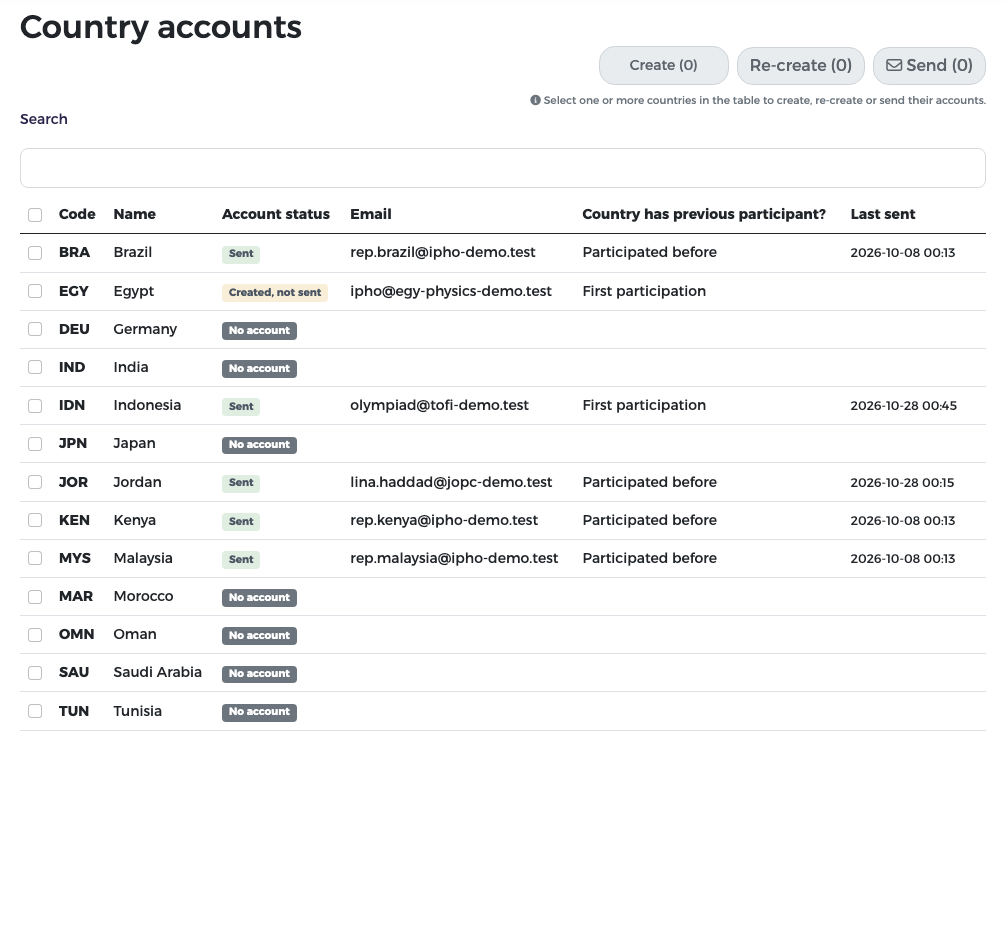
Each participating country has one representative account. The user name is the country's three-letter code (for example JOR for Jordan). You create the account with the representative's e-mail, then send it: the representative receives a welcome e-mail with the user name and a single-use link to set a password.
The Country accounts page
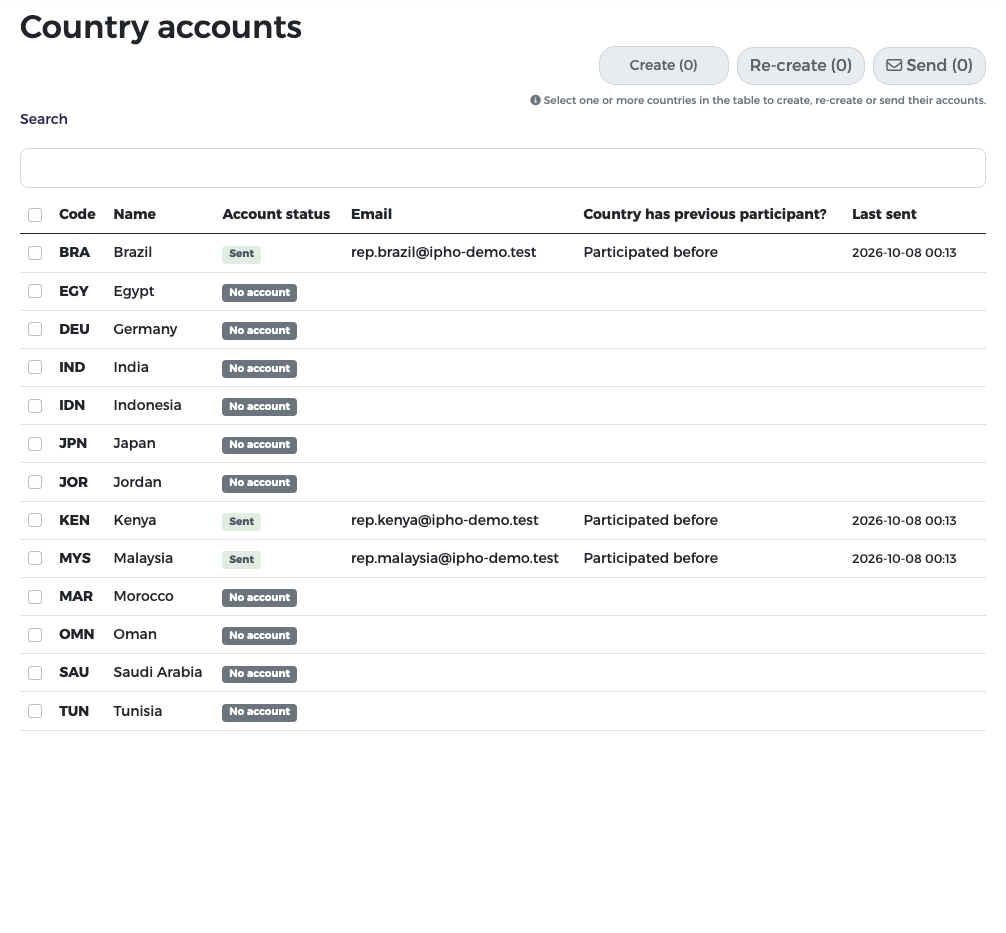
In the menu, choose Country accounts. Every country is listed with:
| Column | Meaning |
|---|---|
| Account status | No account, Created, not sent or Sent |
| The representative's e-mail address | |
| Country has previous participant? | Participated before or First participation |
| Last sent | When the welcome e-mail was last sent |
Country names are shown in the language of the page and the list is sorted by the name shown. The buttons Create, Re-create and Send at the top act on the countries you tick; the number in brackets shows how many are selected. Use Search to find a country.
Why \"participated before\" matters
A country taking part for the first time can register only observers and visitors in stage 1. A country that participated before can also register students and leaders. Set this correctly when you create the account.
Create an account
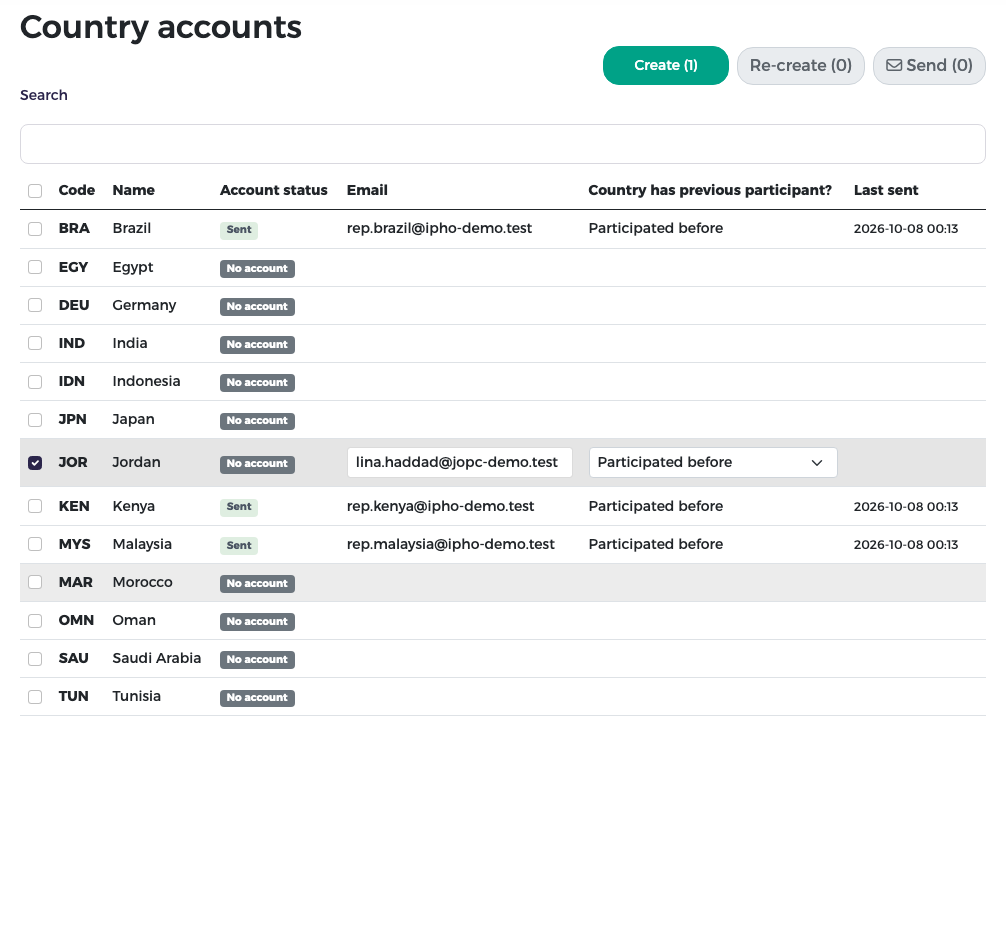
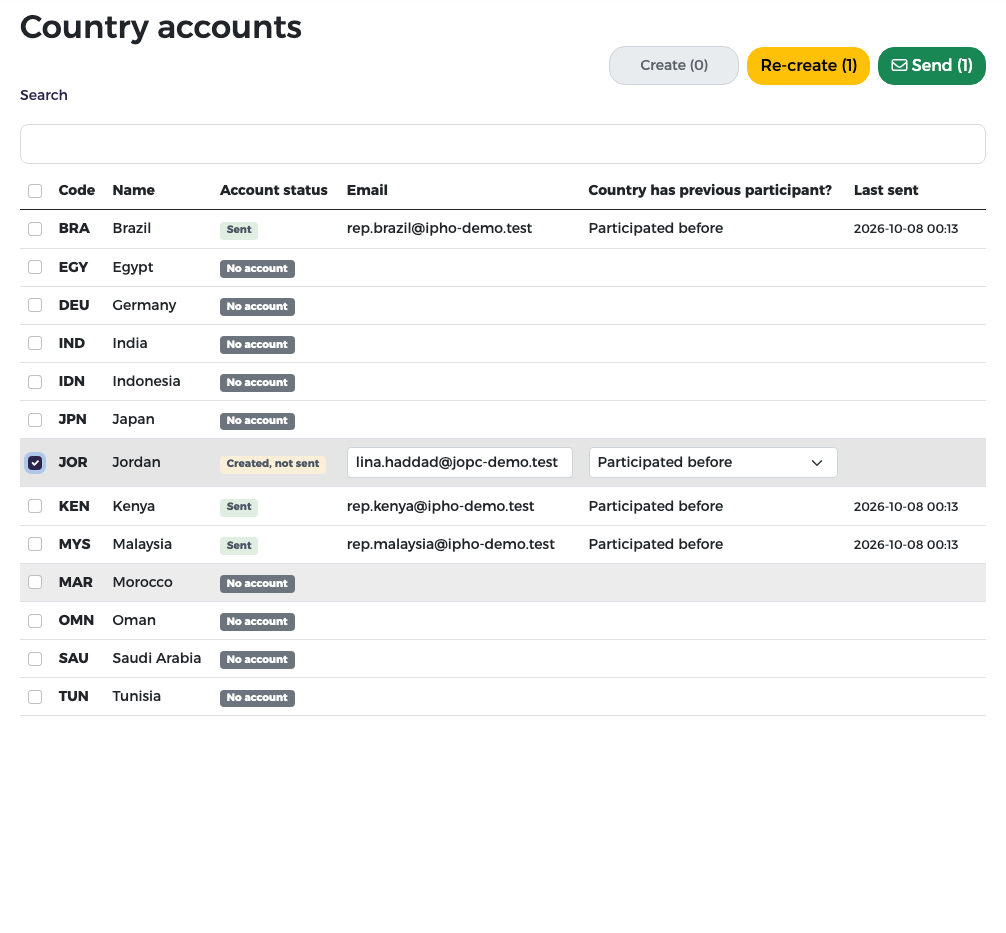
- Tick the country. Its row becomes editable.
- Type the representative's e-mail and choose Participated before or First participation.
- Press Create (1).
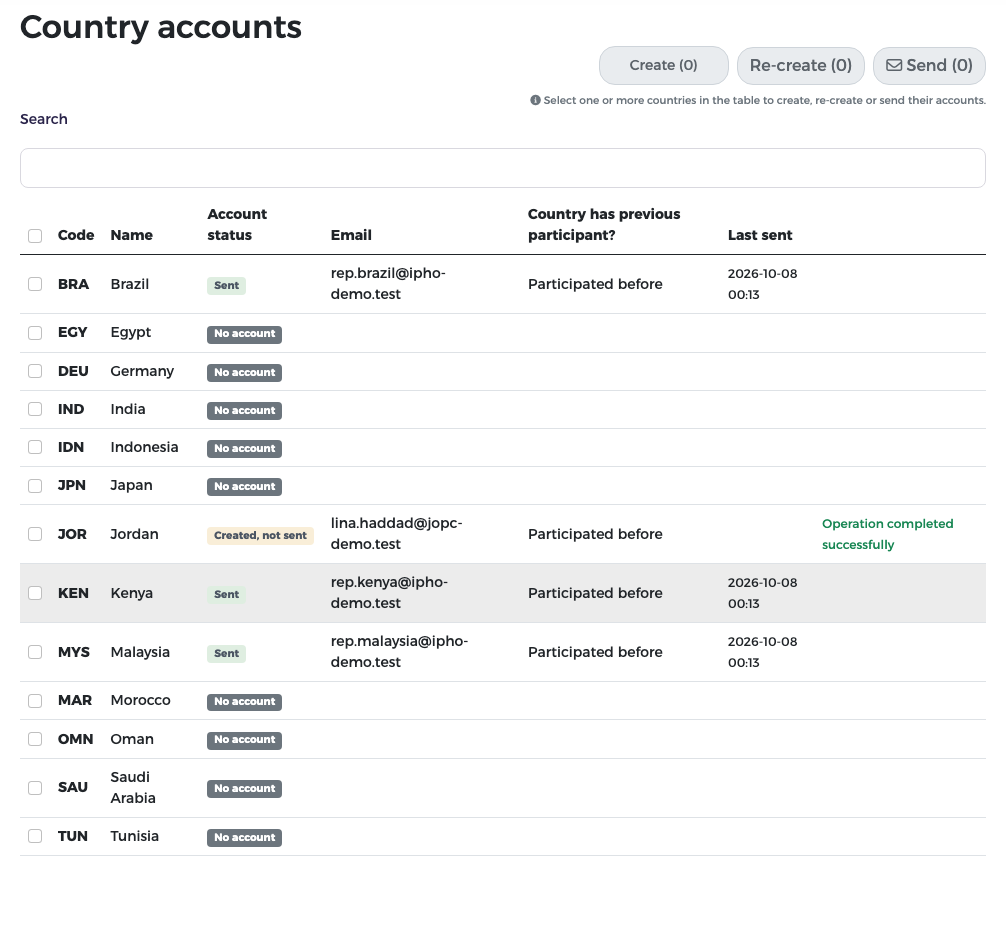
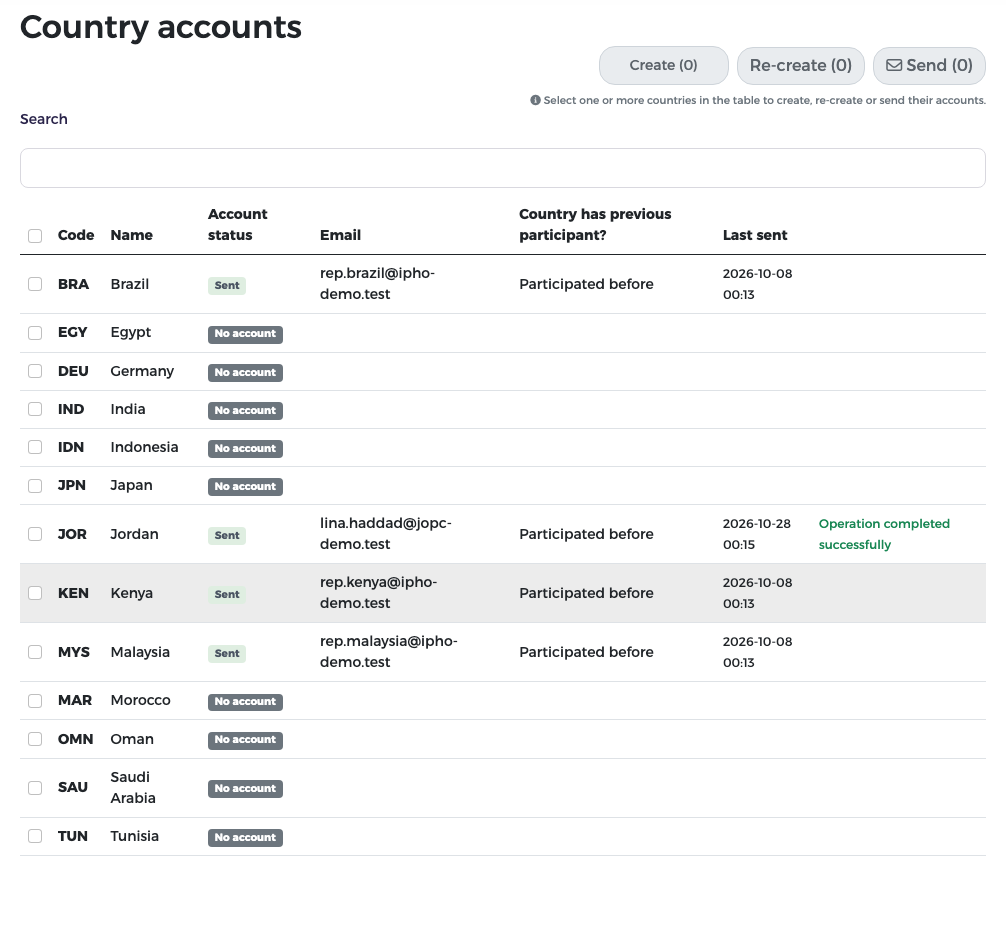
The status becomes Created, not sent and the page confirms "Operation completed successfully". Nothing has been sent to the representative yet.
Send the account
- Tick the country (or several).
-
Press Send.
-
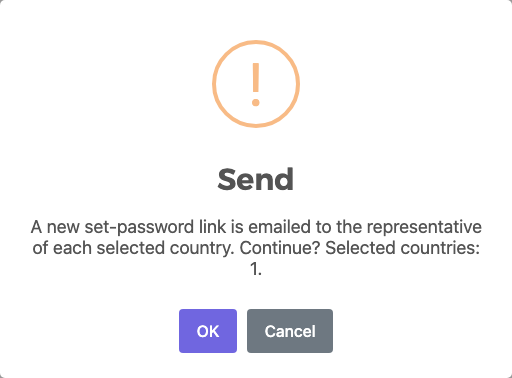
Confirm with OK. A new set-password link is e-mailed to the representative of each selected country.
The status becomes Sent with the date in Last sent.
The representative now sets a password from the e-mail and signs in with the country code (see Getting started). The link can be used once; if it expires, press Send again.
Several countries at once
Tick several rows, fill each e-mail and participation, then press Create or Send once for all of them.
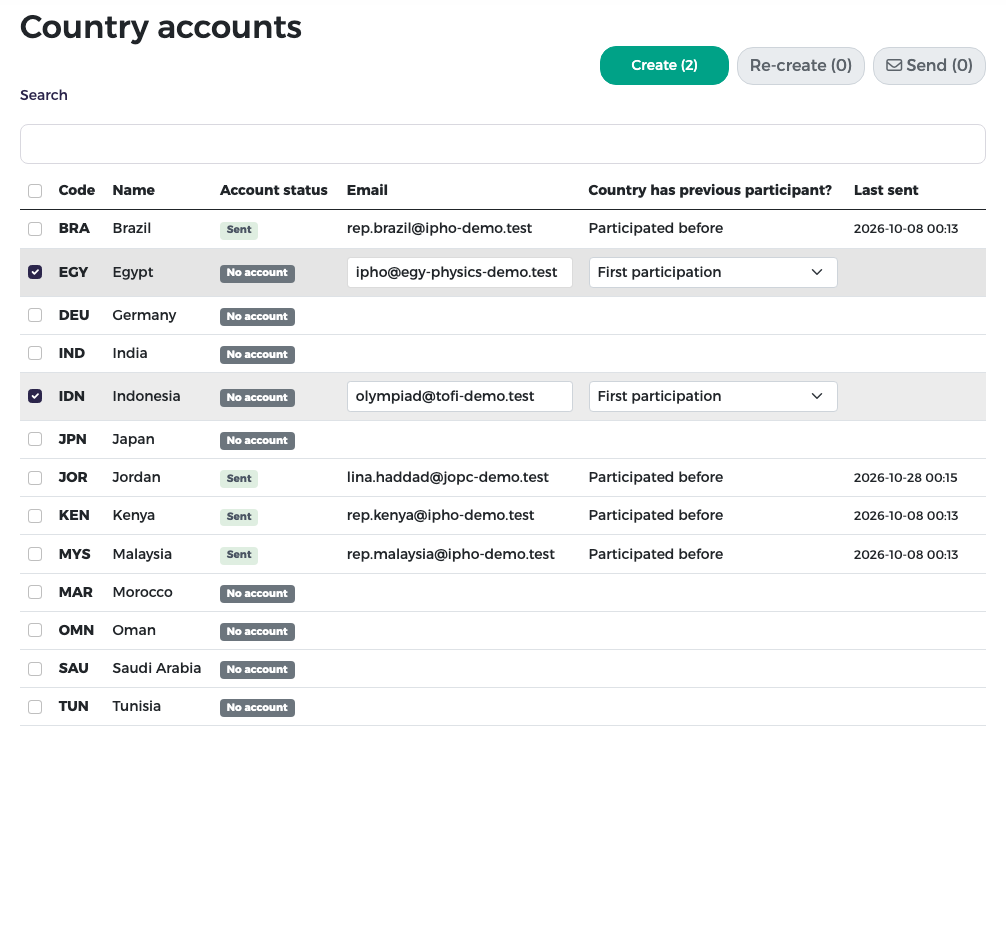
You do not have to send at once: a country can stay Created, not sent until you are ready.
Re-create an account
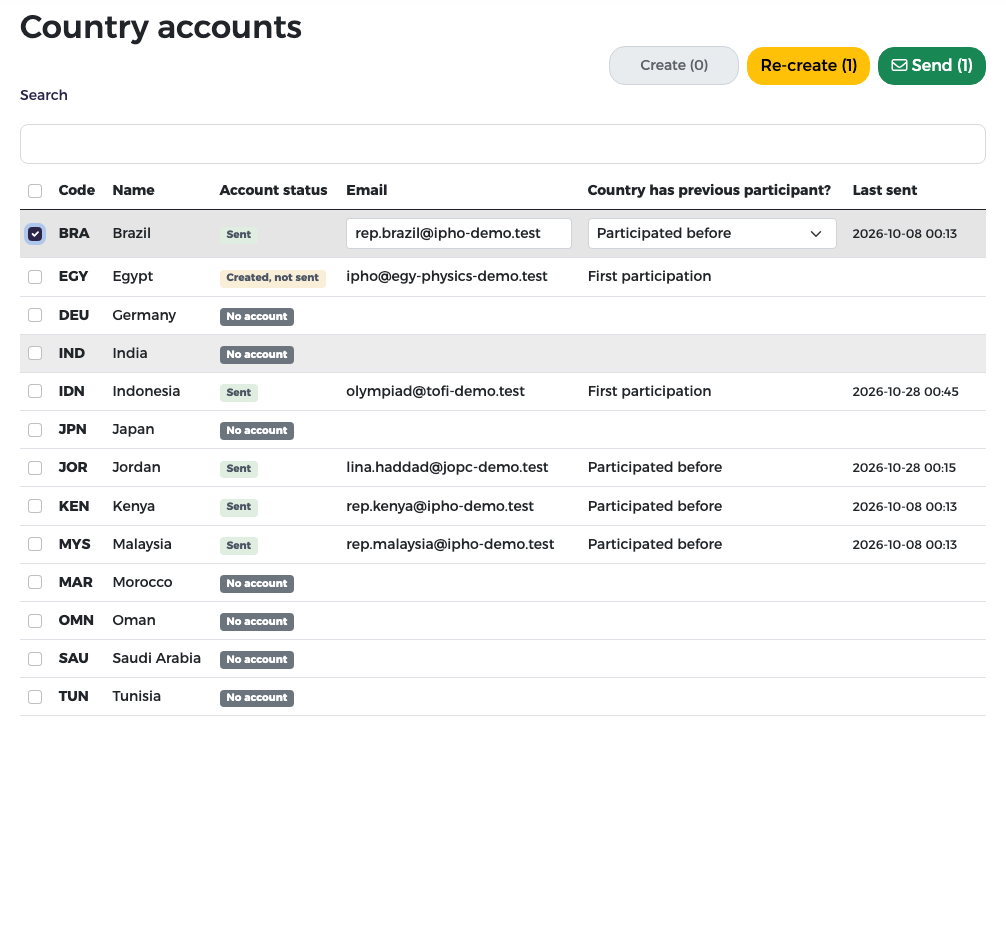
Use Re-create when the representative changes, when the e-mail was wrong, or when the representative cannot get in:
- Tick the country (it already has an account). You can change the e-mail and the participation.
-
Press Re-create.
-
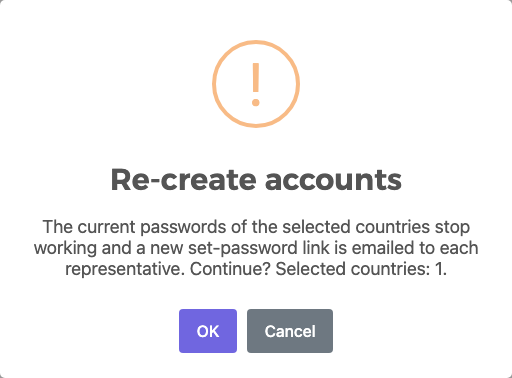
Read the warning and confirm with OK.
Warning
After a re-create, the old password stops working immediately. The representative must use the new link before signing in again. The country's registration data is kept.
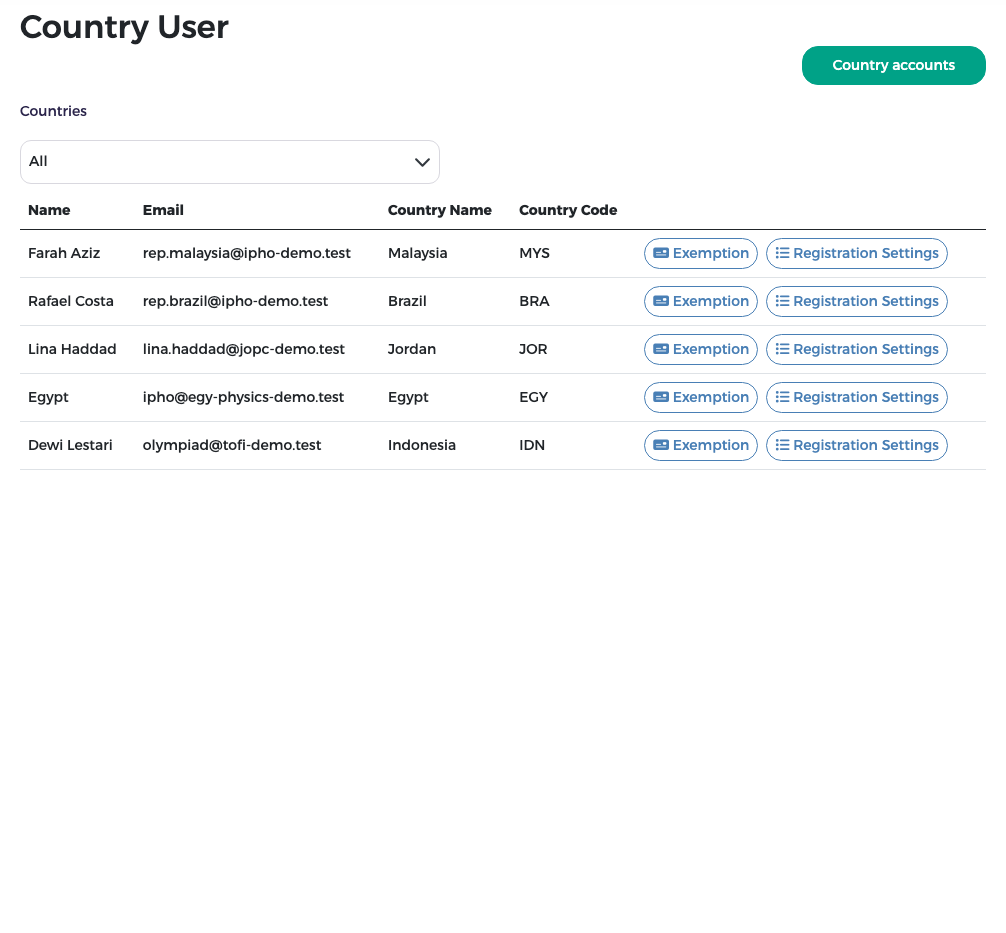
Country users
Country Users in the menu lists the representatives. With All selected in Countries, every representative is listed; choose one country to see only its representative. Each row has the per-country buttons, among them Exemption (see Proforma invoices and exemptions) and Registration Settings (the country's own dates and pay on arrival, see Setup). The Country accounts button at the top opens the page above.