Payment receipts
Each invoice gets one payment receipt once it is fully paid, whatever the method: online at once, or after your confirmation for bank transfers and payments on arrival, or when a settlement claim is collected. The receipt is bilingual (English and Arabic) and is e-mailed to the representative automatically. The representative can also print it from their payment page.
Note
A payment receipt confirms that the invoice is fully paid. It is not a tax invoice.
The receipts list
- In the menu, choose Payment receipts.
- Search by country, client or receipt number, or choose a method in All payment methods.
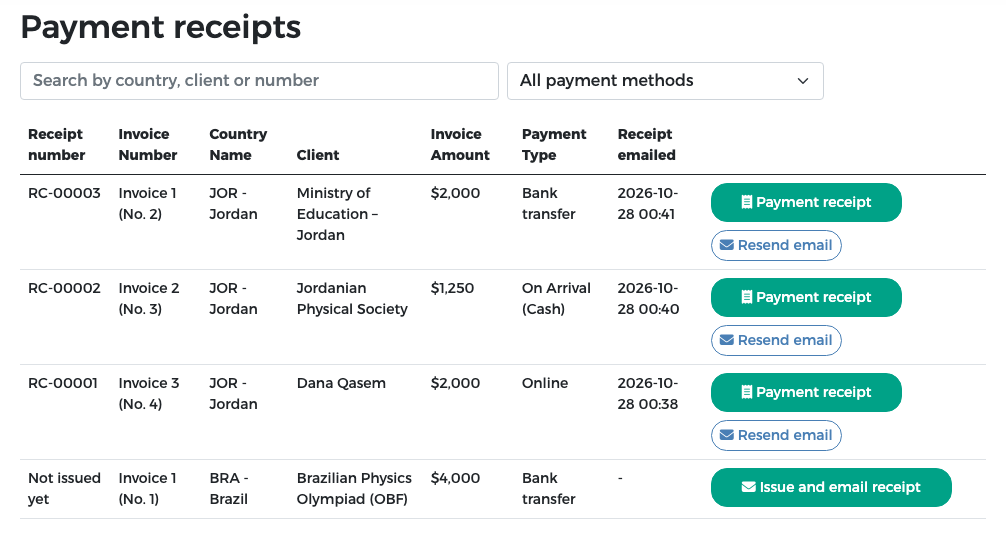
| Column | Meaning |
|---|---|
| Receipt number | RC-00001, RC-00002 … in the order receipts were issued, or "Not issued yet" |
| Invoice Number, Country Name, Client | The invoice (for example Invoice 1 (No. 2): the country's first invoice, reference number 2), its country and the billed organisation or person |
| Invoice Amount | The amount of the invoice after any exemption |
| Payment Type | Online, Bank transfer, or On Arrival (with Cash or POS terminal) |
| Receipt emailed | When the receipt was e-mailed to the representative (date and time, Riyadh time) |
View and print a receipt
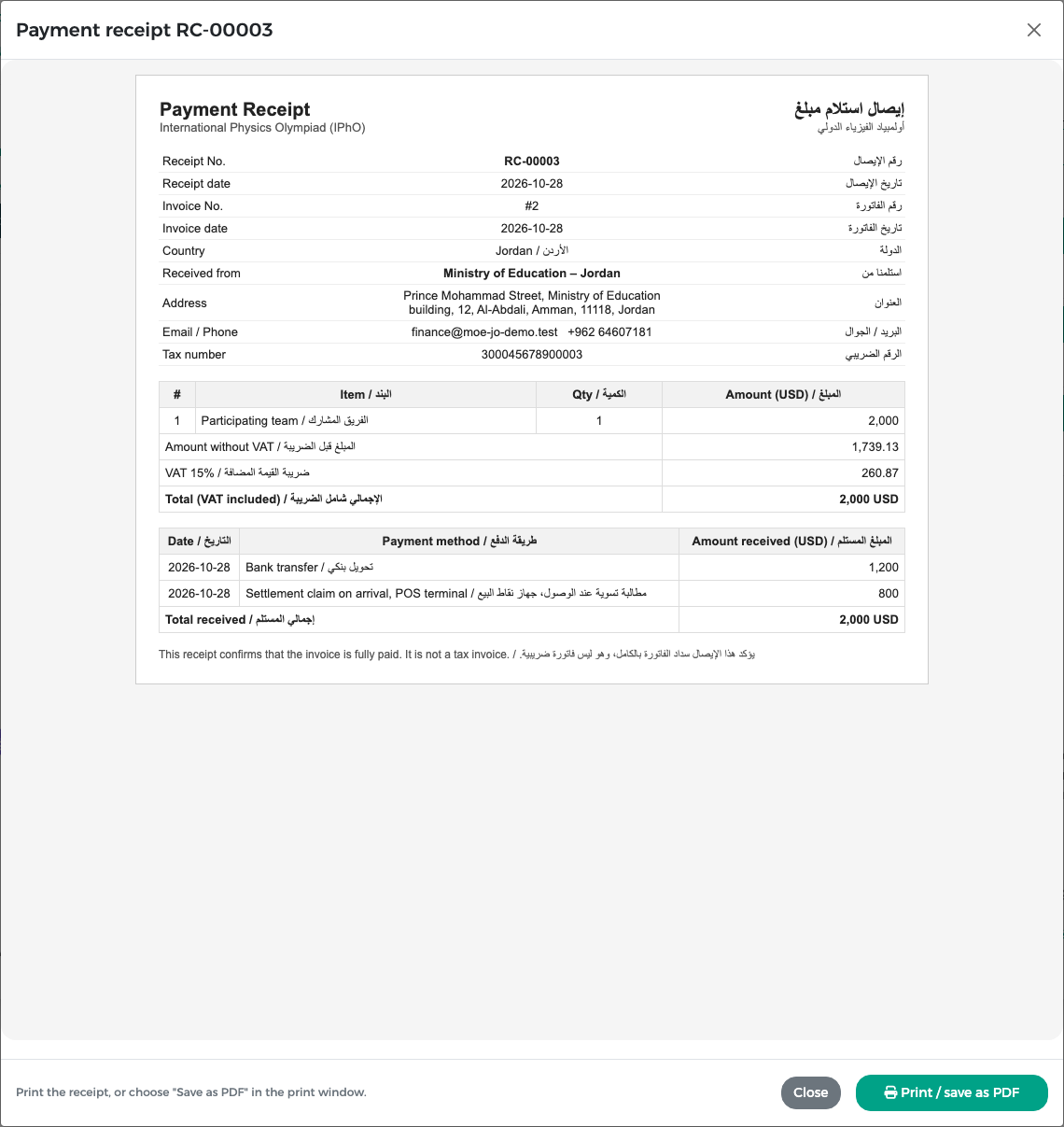
- Press Payment receipt on the row.
- The receipt opens: receipt and invoice numbers and dates, country, the payer's name, address and tax number, the invoice lines, the amount without VAT, the VAT and the total, and every payment received with its date and method.
- Press Print / save as PDF. In your browser's print window, choose a printer or "Save as PDF".
The receipt e-mail
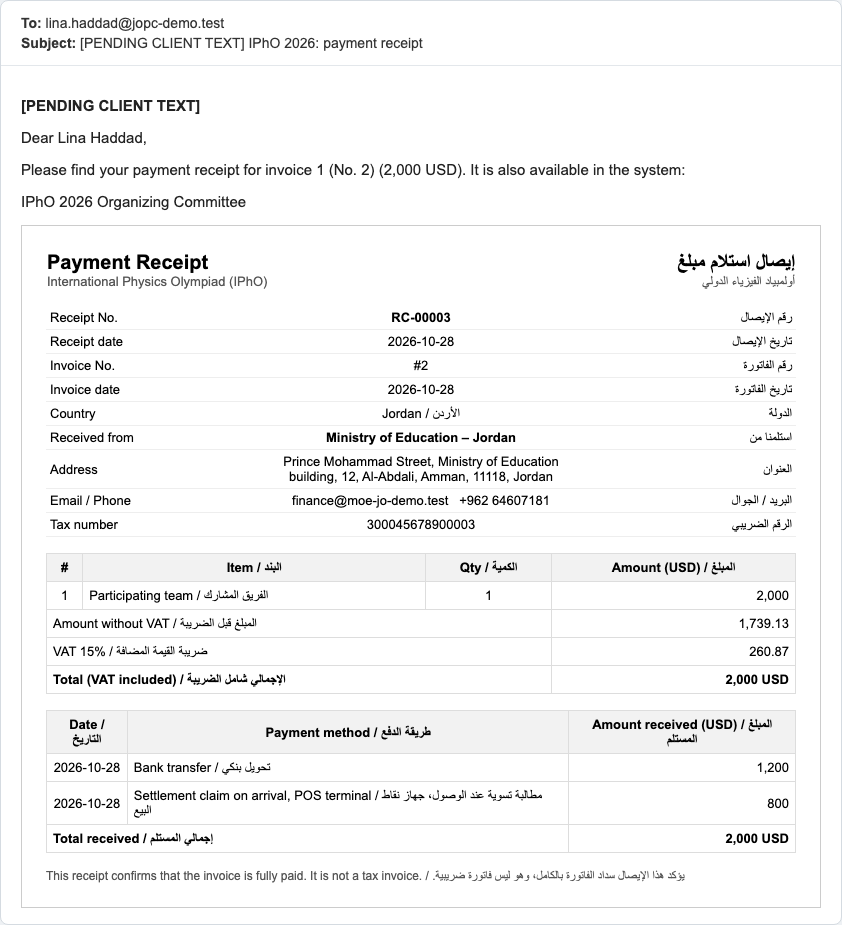
When the invoice becomes fully paid, the representative receives the receipt by e-mail, with the receipt shown in the message.
Issue a missing receipt
A paid invoice normally gets its receipt automatically. If a row says Not issued yet, it has only one button, Issue and email receipt. Press it to issue the receipt and e-mail it to the representative; the row then shows the receipt number and the usual Payment receipt and Resend email buttons.
Resend a receipt
If the representative did not receive the e-mail or asks for it again, press Resend email on the row. The same receipt is sent again to the representative's e-mail address.