Country representative
You are the country representative (team coordinator) of your country. You register your delegation in the system, pay its fees and give the organisers its travel plans. This section guides you through the whole journey, in the order you will do it.
If you have not signed in yet, read Getting started first.
Your journey at a glance
| Step | What you do | Page |
|---|---|---|
| 1 | Enter the coordinator details, the flag and the numbers of participants and single rooms. Submit. | Stage 1 – counts |
| 2 | Enter the data of every participant and submit each one. Correct anyone the reviewer returns. | Stage 2 – participants |
| 3 | Prepare the proforma invoices: keep one or split the bill. Send them to the reviewer. | Proforma invoices |
| 4 | Pay each issued invoice: online, by bank transfer or on arrival. Get your receipts. | Payment |
| 5 | Print the embassy letters for the visas. | Embassy letters |
| 6 | Enter the arrival and departure flights of every member. Submit. | Stage 3 – travel |
Each stage has an opening date and a closing date, set by the organisers. You can fill in and submit a stage only while it is open. After the closing date you can only correct what the organisers send back to you (a submission the administrator withdraws, or a participant the reviewer returns). Do not wait for the last day.
The stage tiles
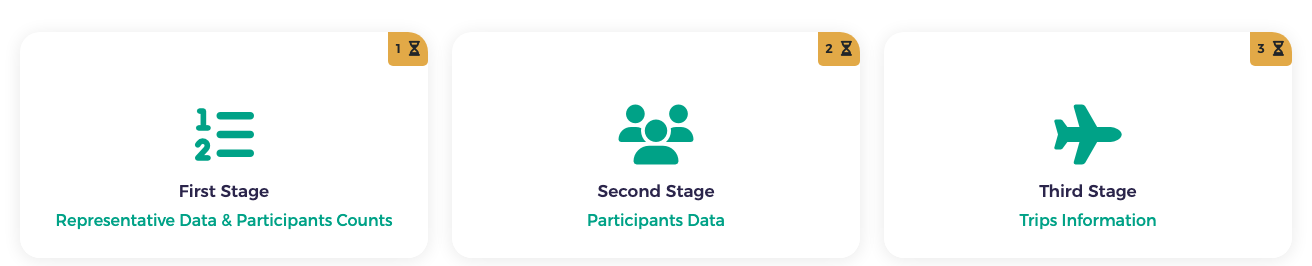
At the top of every page you see three tiles, one per stage. Click a tile to open that stage:
- First Stage – Representative Data & Participants Counts
- Second Stage – Participants Data
- Third Stage – Trips Information
The small badge in the corner of each tile shows the stage number and its state: an hourglass means the stage is not finished yet, a tick means it is submitted.
Above the tiles you may see the Payment Details button (it opens the payment page) and coloured notes that tell you what to do next, such as Prepare proforma invoices or Returned – action needed.
My country dashboard
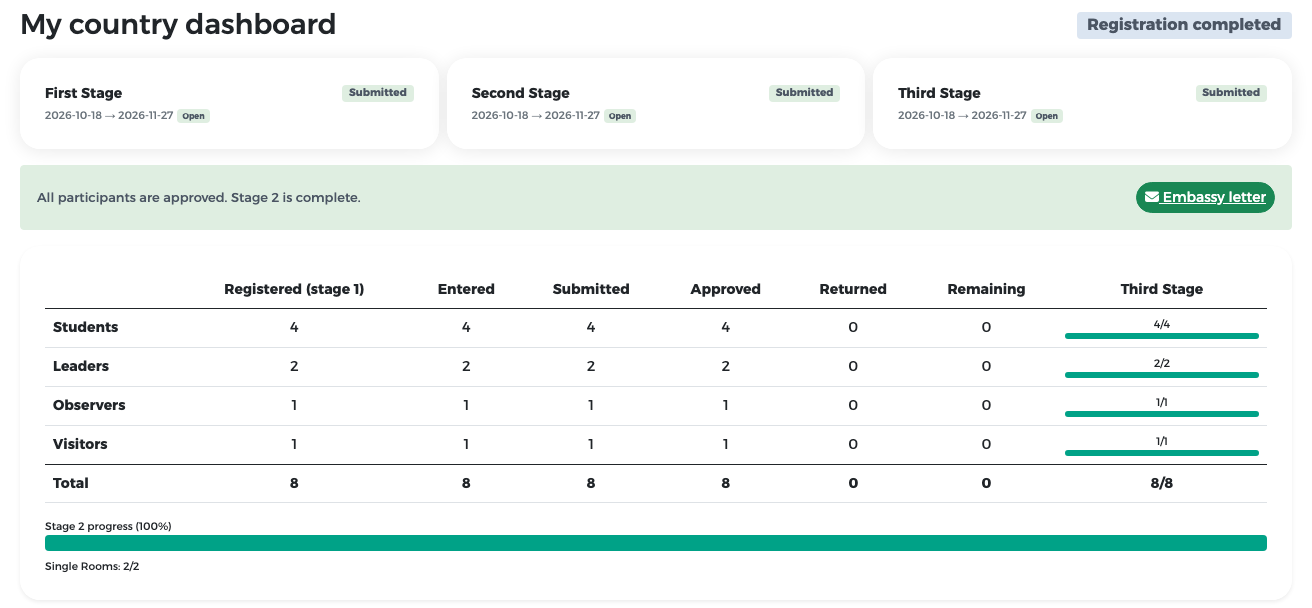
After you sign in, you land on My country dashboard. It tells you at a glance where your country stands.

What you see on the dashboard:
- The badge at the top right shows how far your country is, for example Stage 1 not started, Stage 2 in progress or Registration completed.
- One card per stage shows the stage dates (start → end), whether the stage is Open, and its status: Not started, In progress or Submitted.
- The table of participants (after stage 1) shows, for each type of participant: how many you registered in stage 1, how many you have entered, submitted, how many were approved or returned, how many remain, and how many have complete flight data for stage 3.
- Notes with a next step:
- a yellow box Participants returned for correction lists anyone the reviewer sent back, with the reviewer's note and a Fix participants button;
- a green box All participants are approved. Stage 2 is complete. with an Embassy letter shortcut.
At the end of the cycle the dashboard shows all three stages Submitted and the badge Registration completed.
Where am I? What next?
When in doubt, open My country dashboard. Yellow boxes always mean that something is waiting for you.
Important rules to know from the start
- Students and leaders are one team package. They are always billed together on one invoice line.
- Every single room you ask for in stage 1 must be given to a leader, observer or visitor in stage 2. Students never get a single room.
- Approved participants cannot be edited. If something changes, remove the member and add a replacement, who is reviewed again.
- Once your invoices are issued, your team cannot grow. You can still replace or remove members, but fees are not refunded.
- Payment opens only after stage 2 is complete and the reviewer has issued your invoices.
The e-mails you will receive
The system e-mails you at important moments: when a participant is returned, when invoices are returned or issued, when a payment is received or confirmed, when a settlement claim is sent and when a receipt is issued. See the full list on the Reference page.