Reports
The Reports page gives you 16 ready-made reports. As administrator you see all of them; finance sees reports 15 and 16, and the reviewer sees report 16 only.
Run a report
- In the menu, choose Reports.
- Open Select report type and choose a report. Its table appears.
- To narrow it, press Filter, fill the filters you need and press Apply Filters. Reset clears them.
- To keep or share the result, press Export to Excel. The table, with the filters applied, is downloaded as an Excel file (for example
Stage 2 participants 2026-10-27.xlsx).
Tip
Wide reports scroll sideways inside the table. Export to Excel when you need to see or sort all the columns.
The 16 reports
| # | Report | What it lists |
|---|---|---|
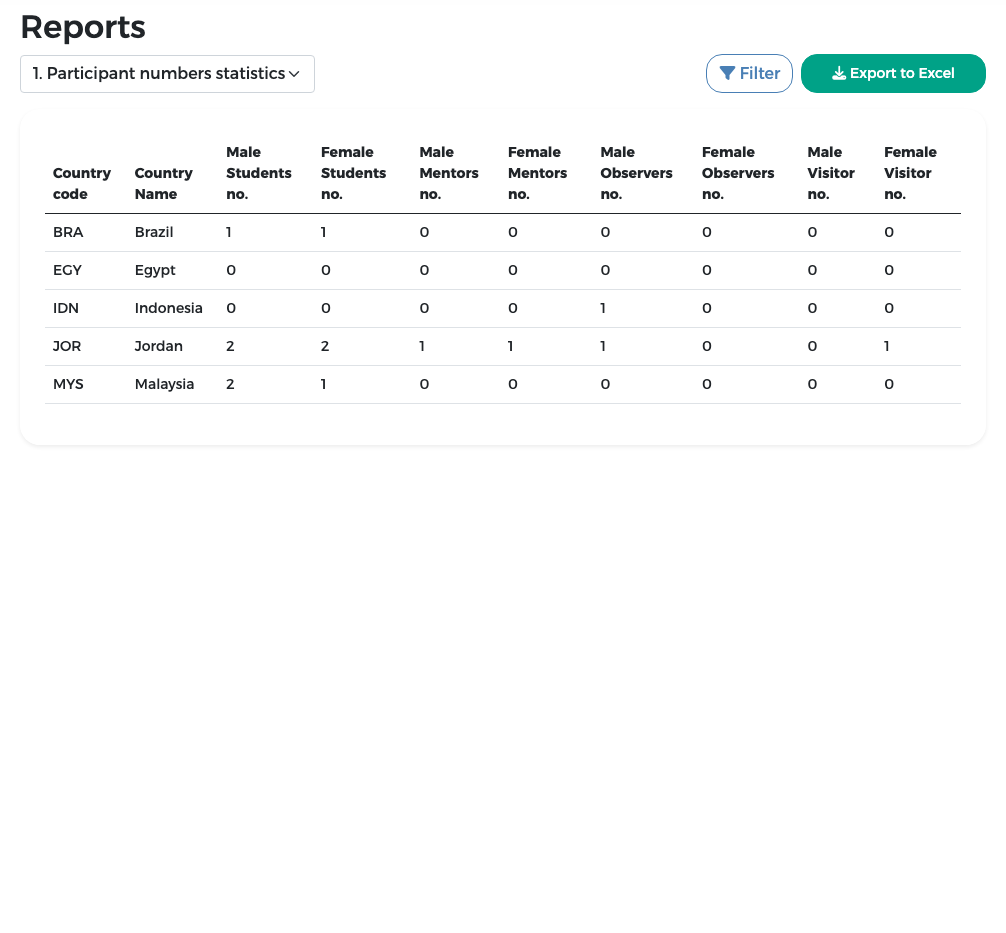
| 1 | Participant numbers statistics | Per country, the number of students, leaders ("mentors"), observers and visitors, by gender |
| 2 | Stage 1 data | Each country's coordinator, contact data and flag |
| 3 | Stage 2 participants | Every participant's stage 2 data and review status |
| 4 | Country file | Everything about a country: stage 1, participants and flights |
| 5 | Passport information | Passport data, status and photo of each participant |
| 6 | Participant contacts | Participants' e-mails and phone numbers |
| 7 | Representative contacts | The representatives' contact data |
| 8 | Country stages | The status of each stage per country, with counts of submitted, approved and returned participants |
| 9 | Single rooms | Who has a single room |
| 10 | Participant health | Allergies and medical issues |
| 11 | T-shirt sizes | Shirt size of each participant |
| 12 | Meal preference | Normal or vegetarian meals |
| 13 | Delegation arrivals | Arrival flights per participant |
| 14 | Delegation departures | Departure flights per participant |
| 15 | Payment | Fees, costs, amounts paid and remaining, payment method and status per country |
| 16 | Payment only | Totals, payment method and payment status of countries that completed stage 2 |
Withdrawn countries are left out of all reports. In reports 15 and 16 you can include them with the Include archived (withdrawn) countries option; the Withdrawn column then shows Yes for them (and No for all other countries), also in the Excel export. Reports 15 and 16 are described in Finance – other tasks.
Example: report 1, participant numbers
Example: report 3, filtered on one country
- Choose 3. Stage 2 participants.
-
Press Filter. You can filter by country code or name, participant type, participant name, participant code and passport number.
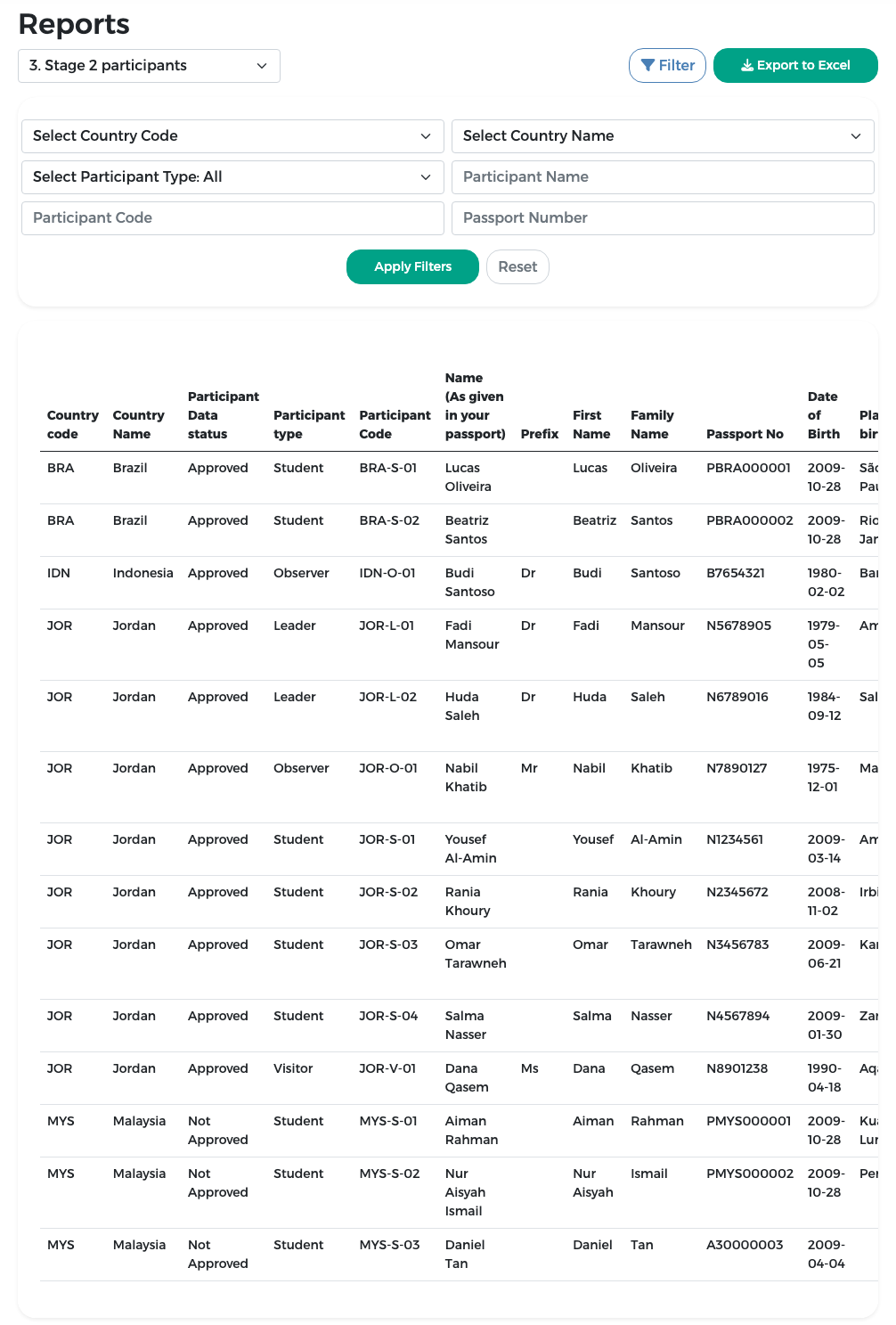
-
Choose the country (for example Jordan) and press Apply Filters.
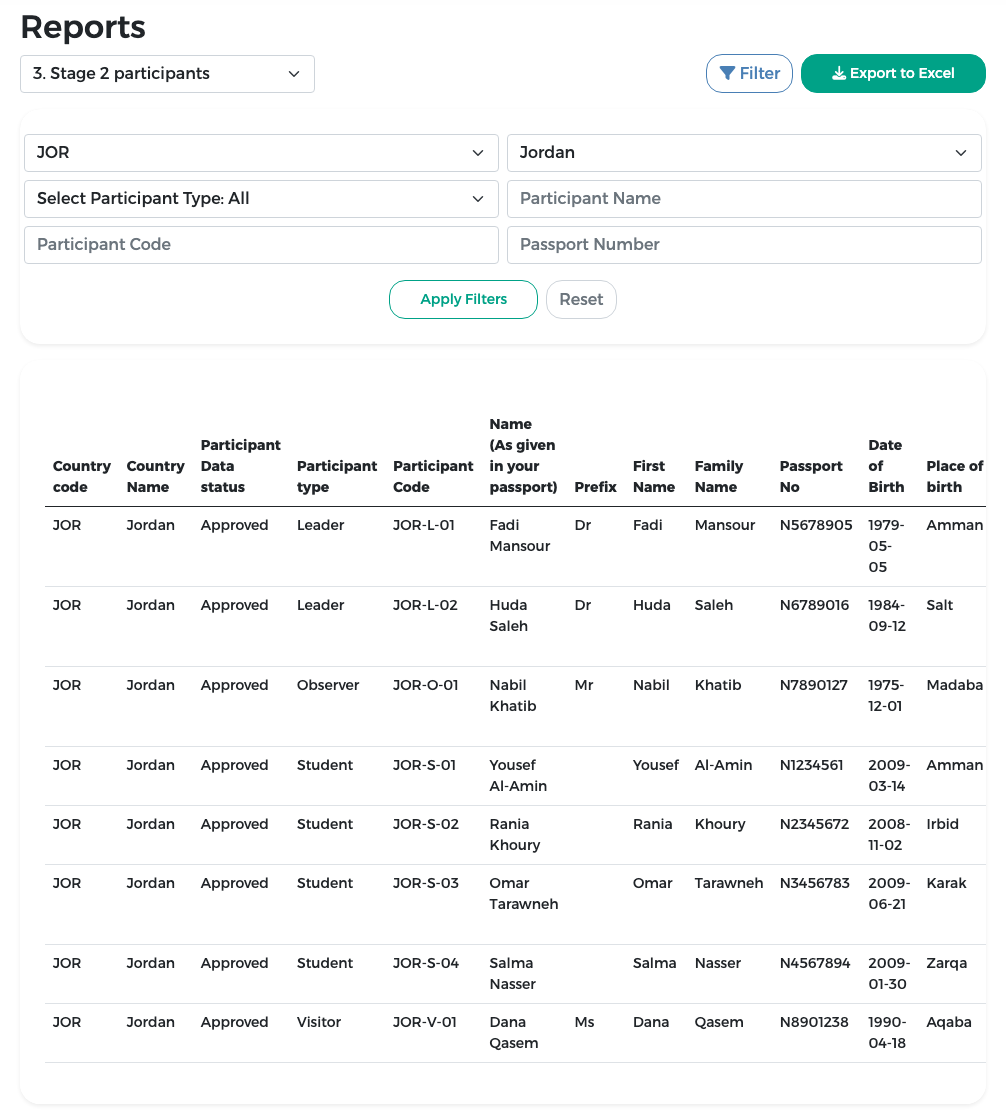
-
Press Export to Excel to download the list.
Example: report 13, delegation arrivals
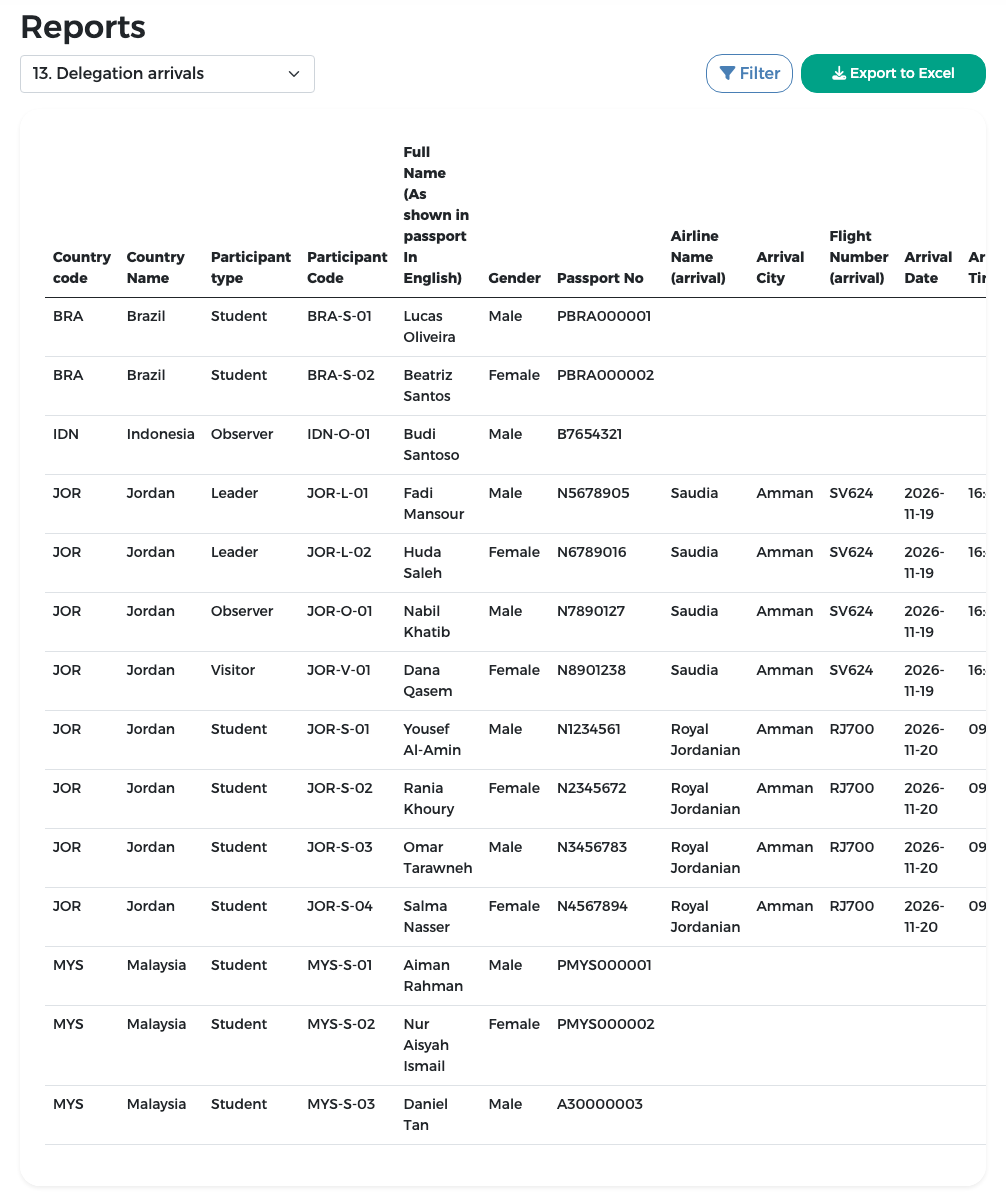
Report 13 lists, for each participant, the airline, city, flight number, date and time of arrival as entered by the representative in stage 3. Participants without flight data show empty cells. Use it to plan airport pick-ups.