Monitoring
You can follow every country from several screens: the dashboard, the country page with its participants, the timeline, the finance dashboard and the participant lists. Withdrawn countries are hidden everywhere unless a screen offers an option to include them.
The dashboard
Dashboard opens after you sign in. At the top, four tiles summarise the whole event:
| Tile | Shows |
|---|---|
| Countries | How many countries, and how many are at each stage or completed |
| Stages submitted | How many countries submitted the first, second and third stage |
| Participants | Registered in stage 1, entered and submitted in stage 2 |
| Review | Approved and returned participants, and how many have complete travel data |
Type in Filter by country to show only matching countries.
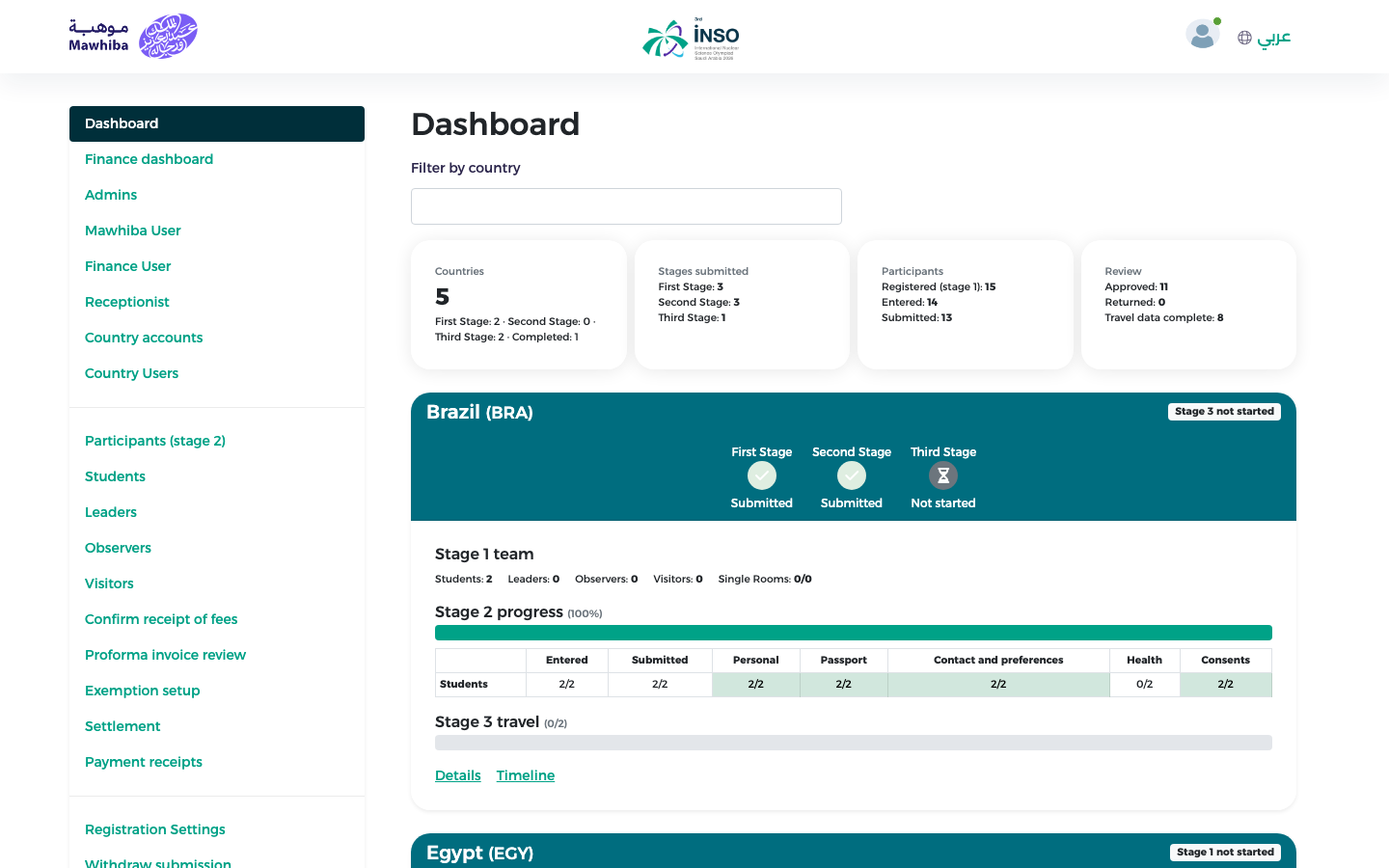
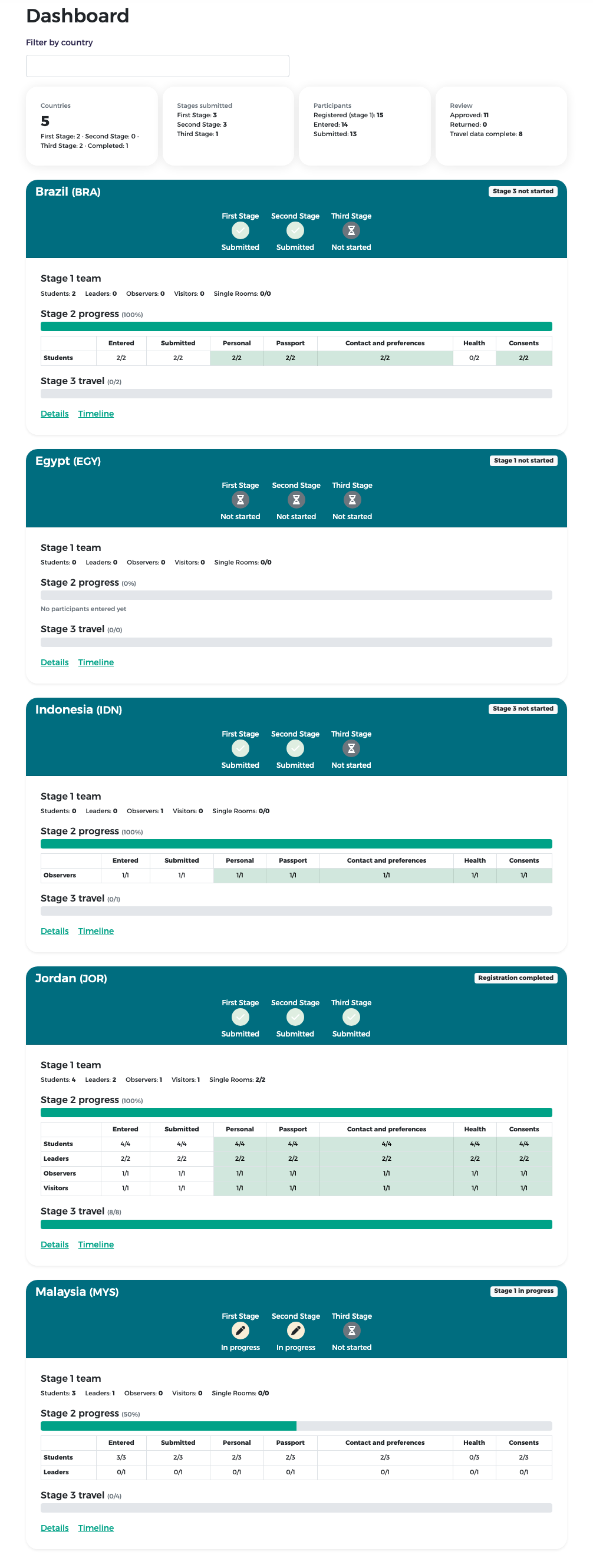
Below the tiles, each country has a card with its three stages, its stage 1 team, stage 2 progress per participant type, stage 3 travel progress, and the links Details and Timeline. The badge at the top right of a card says how far the country is, for example "Stage 1 not started" or "Registration completed".
The country page
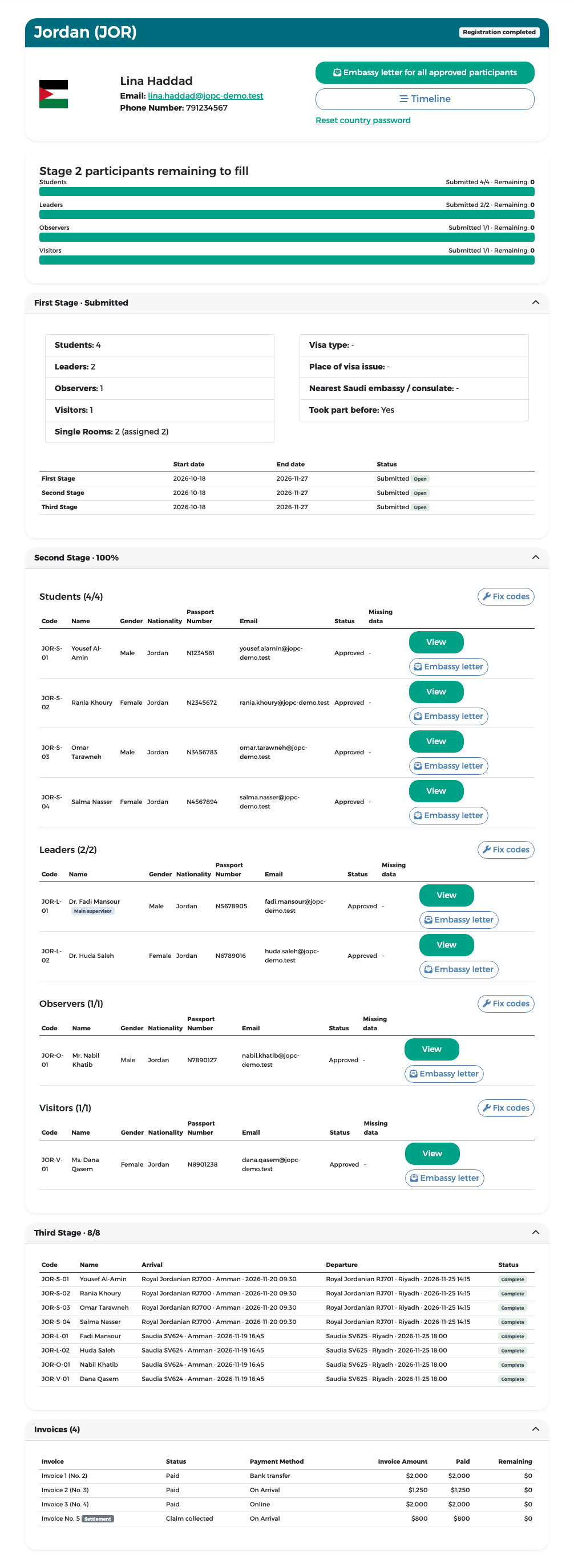
Press Details on a country card. The page shows:
- the flag, the representative's name and contact data, and the links Embassy letter, Timeline and Reset country password;
- what the country still has to fill in;
- stage 1: the counts, single rooms and the dates and status of each stage for this country;
- stage 2: the participants by type, with gender, nationality, passport number, e-mail, status and missing data, and the buttons View and Embassy letter;
- the country's invoices.
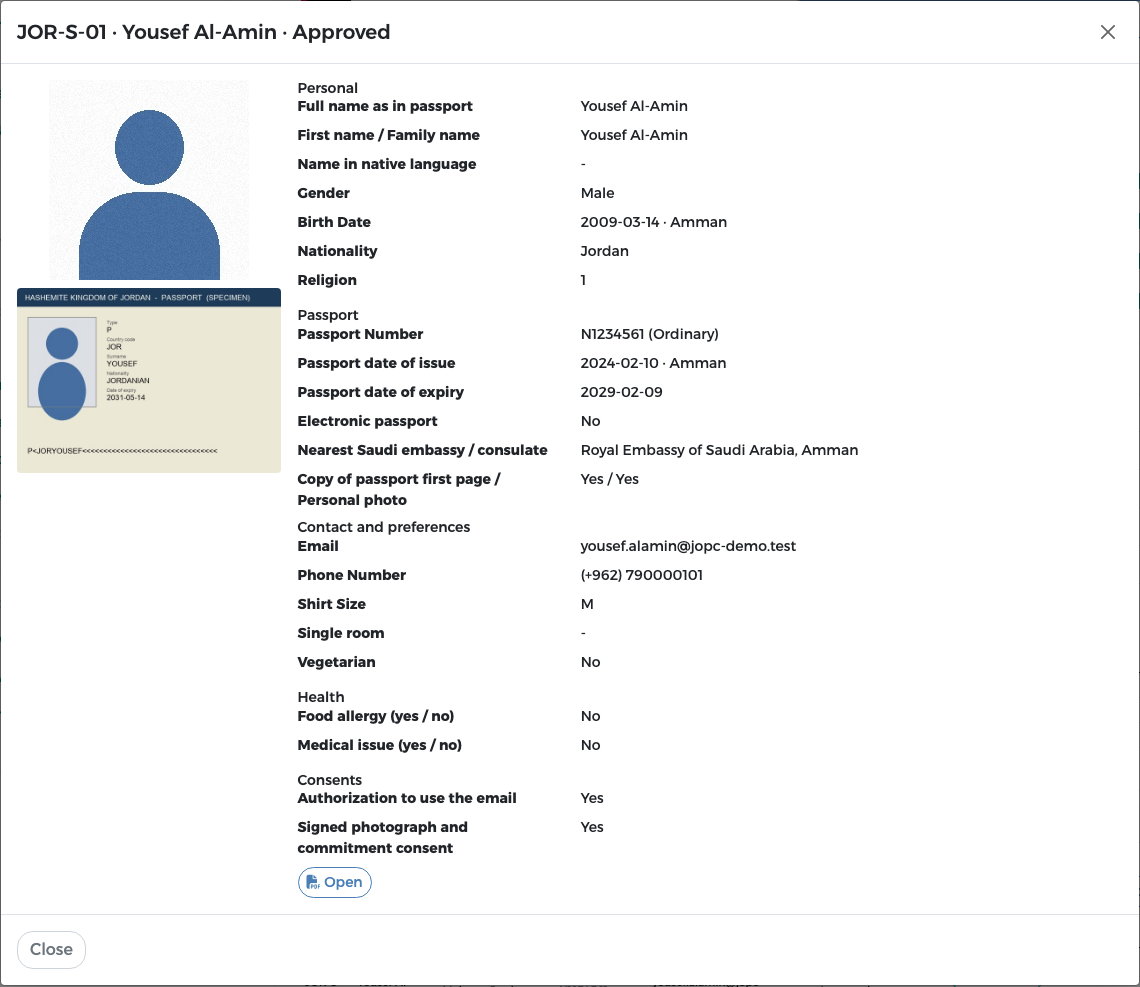
Press View to open all the data of one participant, including the photo and the passport scan.
Reset country password
Reset country password stops the representative's current password and e-mails them a link to set a new one. It has the same effect as Re-create on Country accounts.
Fix codes
Fix codes, next to each participant type, renumbers that type's participant codes in order (for example JOR-S-01, JOR-S-02 …). Use it only if codes are missing or out of sequence.
The timeline
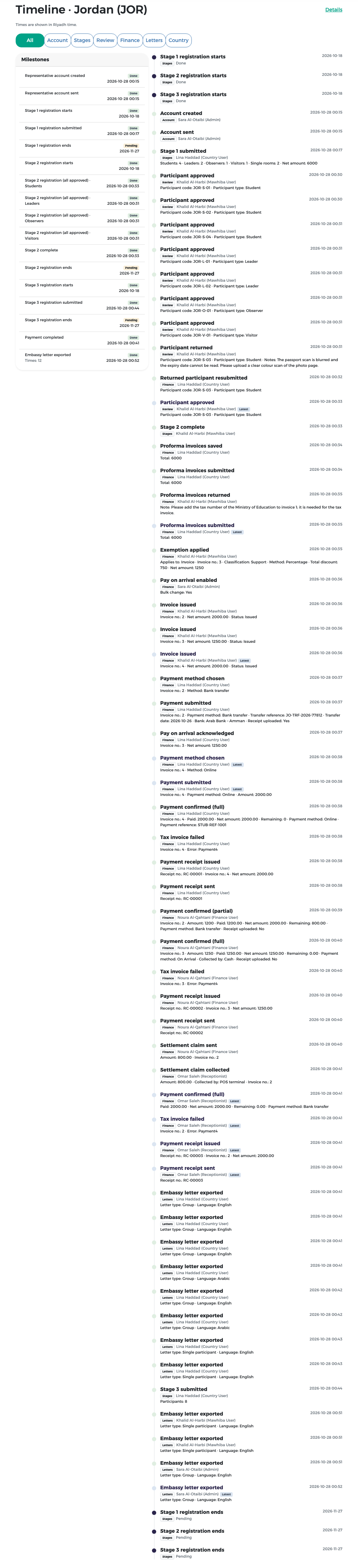
Press Timeline to see every event of the country in order: account created and sent, stages saved and submitted, participants approved or returned, invoices submitted, returned and issued, payment methods chosen, payments confirmed, settlement claims, receipts and embassy letters. Each event shows who did it (with their role) and when, in Riyadh time. Milestones on the left show the main steps and whether they are done.
The filter buttons All, Account, Stages, Review, Finance, Letters and Country show only one kind of event.
The finance dashboard
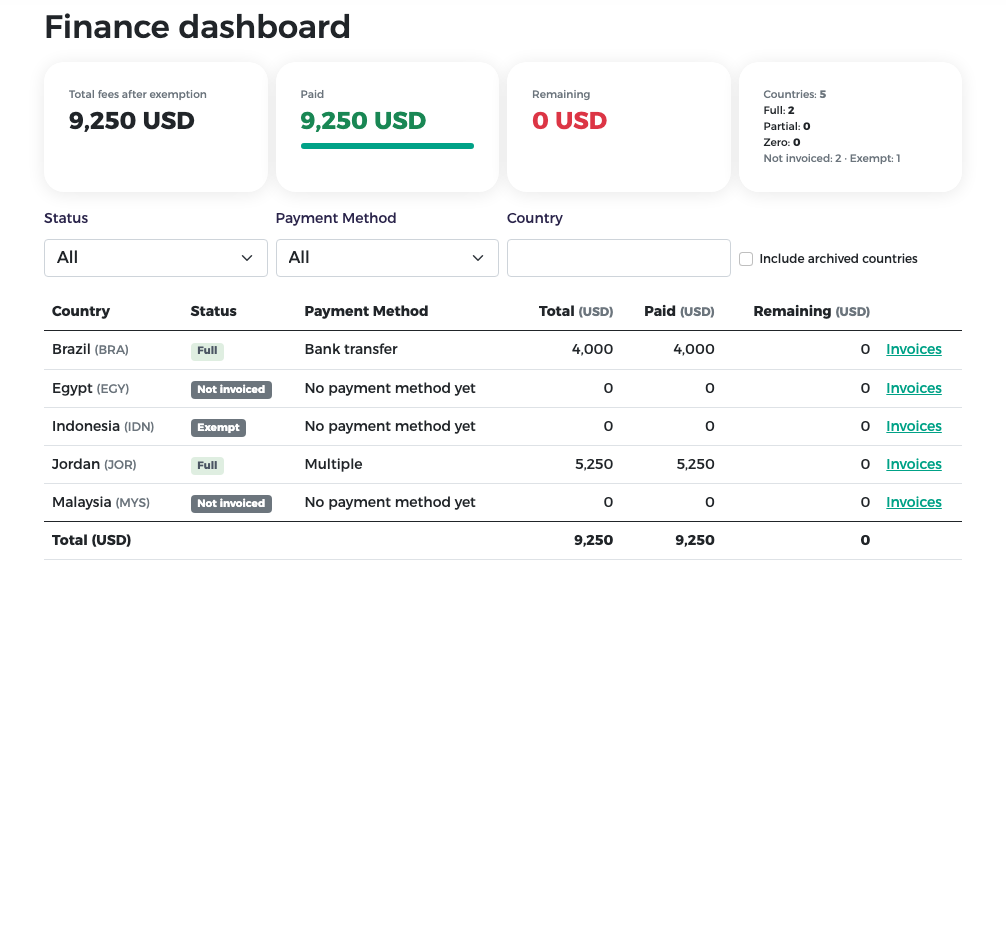
Finance dashboard shows, for every country, the total fees after exemptions, the amount paid, the remaining amount, the payment method and the payment status. You see the same screen as finance; it is explained in Finance – confirming payments.
Participant lists
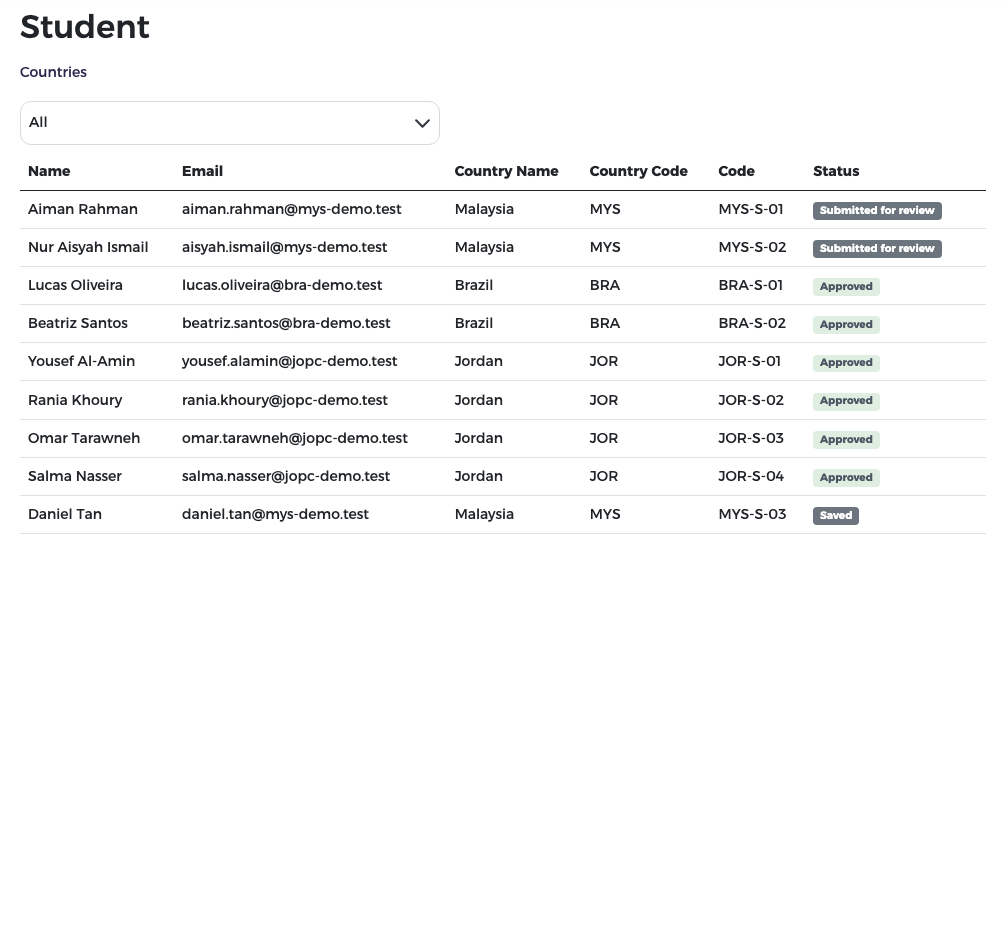
Students, Leaders, Observers and Visitors list the participants of that type for all countries, with their country, code and status. With All selected in Countries, every participant of that type is listed; choose a country to see only its participants. Participants (stage 2) is the review list described in Reviewing participants.
Embassy letters
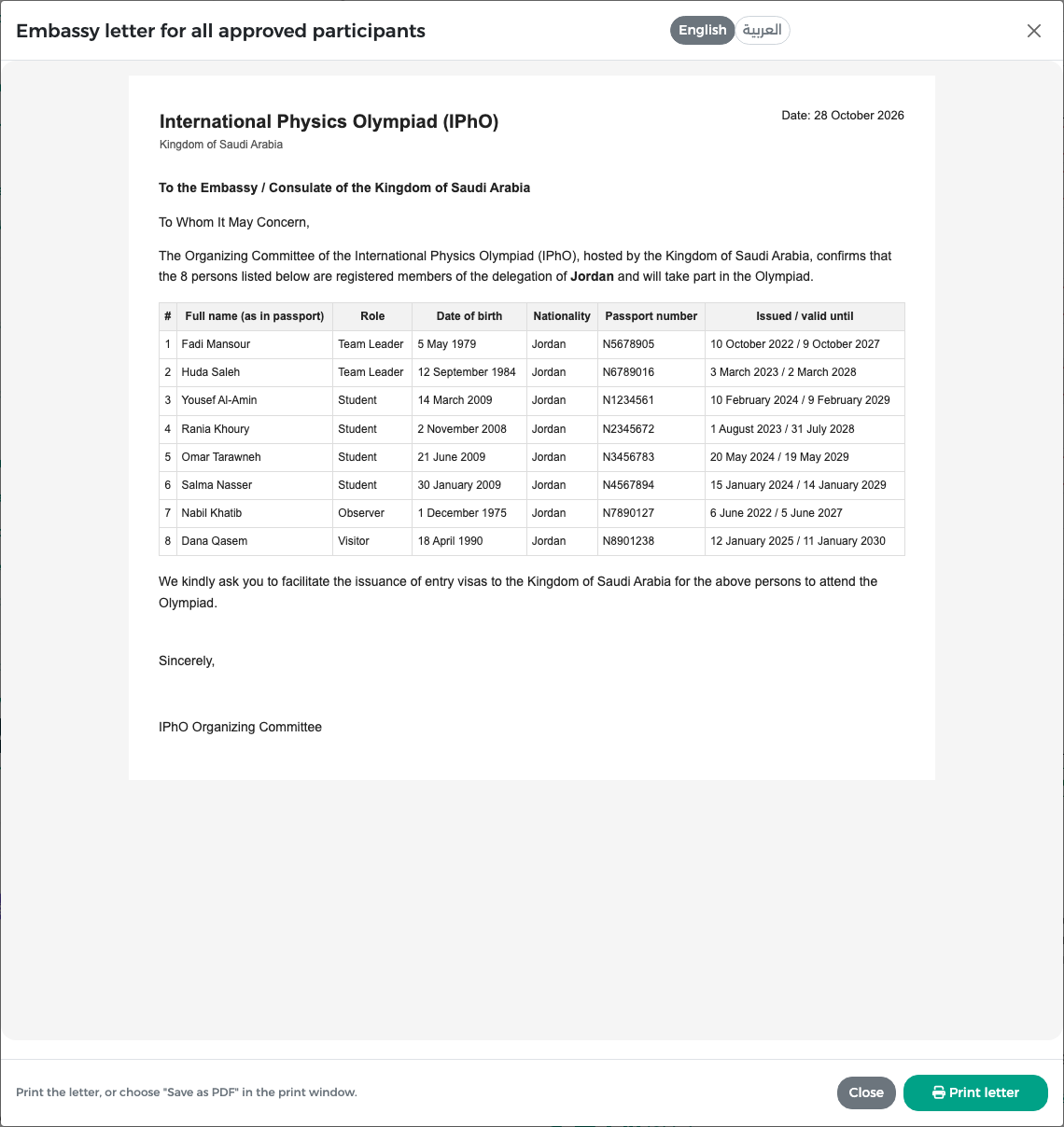
You can open the embassy letter of any country:
- for the whole delegation: Embassy letter on the country page, or Embassy letter for all approved participants on Country withdrawals;
- for one participant: Embassy letter on the participant's row.
The letter lists only approved participants. Switch between English and العربية and press Print letter to print it or save it as PDF. If some members are not approved yet, they are listed separately in a yellow box and are not in the letter.