Reviewing participants
In stage 2 the representative enters each participant (students, leaders, observers, visitors) with their personal data, passport scan, photo and consent form, and submits them one by one. Every submitted participant waits for your decision: Approve or Return to the representative.
A country's stage 2 is complete only when all its participants are approved. Only then can the representative prepare the proforma invoices.
Find the participants to review
- In the menu, choose Participants (stage 2).
- Narrow the list if you need to:
- Country: one country, or All.
- Participant type: Student, Leader, Observer or Visitor.
- Status: for example only those Submitted for review.
- Search: a name, a participant code (such as JOR-S-01) or a passport number.
- Press Search. Clear empties the filters.
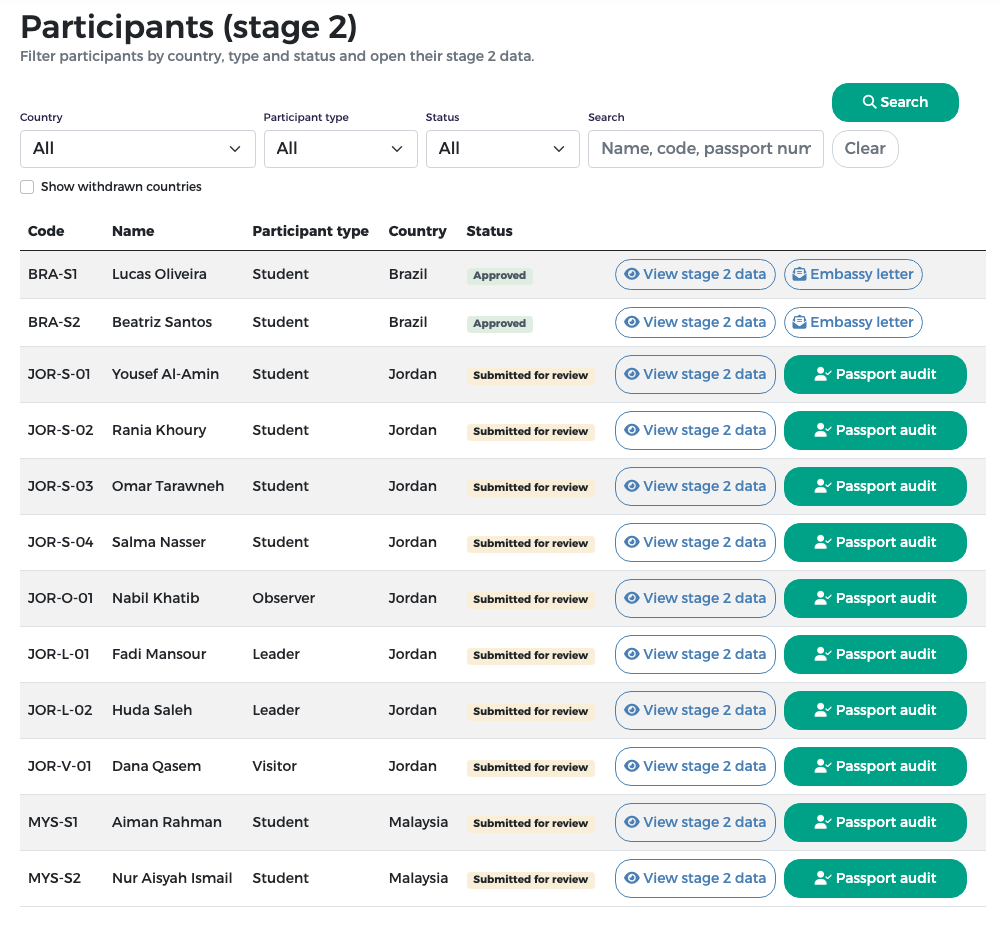
Each row shows the code, name, type, country and status, with buttons:
| Button | When it appears | What it does |
|---|---|---|
| View stage 2 data | always | Opens all the participant's data, read-only. |
| Passport audit | status Submitted for review | Opens the audit, where you approve or return. |
| Embassy letter | status Approved | Opens the embassy letter for this participant (see Following up countries). |
Withdrawn countries are hidden. Tick Show withdrawn countries to include them.
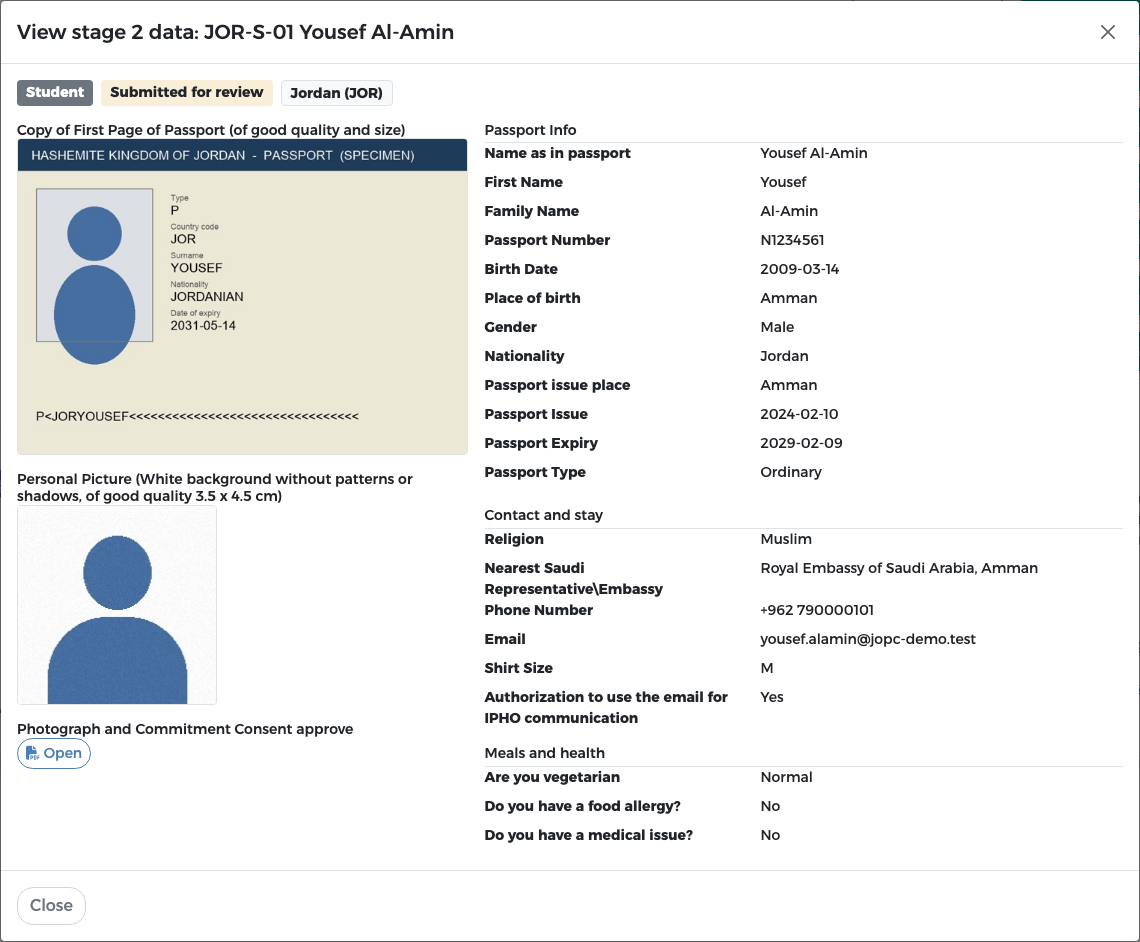
Look at the full data
Press View stage 2 data to see everything the representative entered: the passport scan, the personal picture, the signed consent form (Open), the passport details, contact data, shirt size, meals and health answers. Nothing can be changed here.
Audit the passport and decide
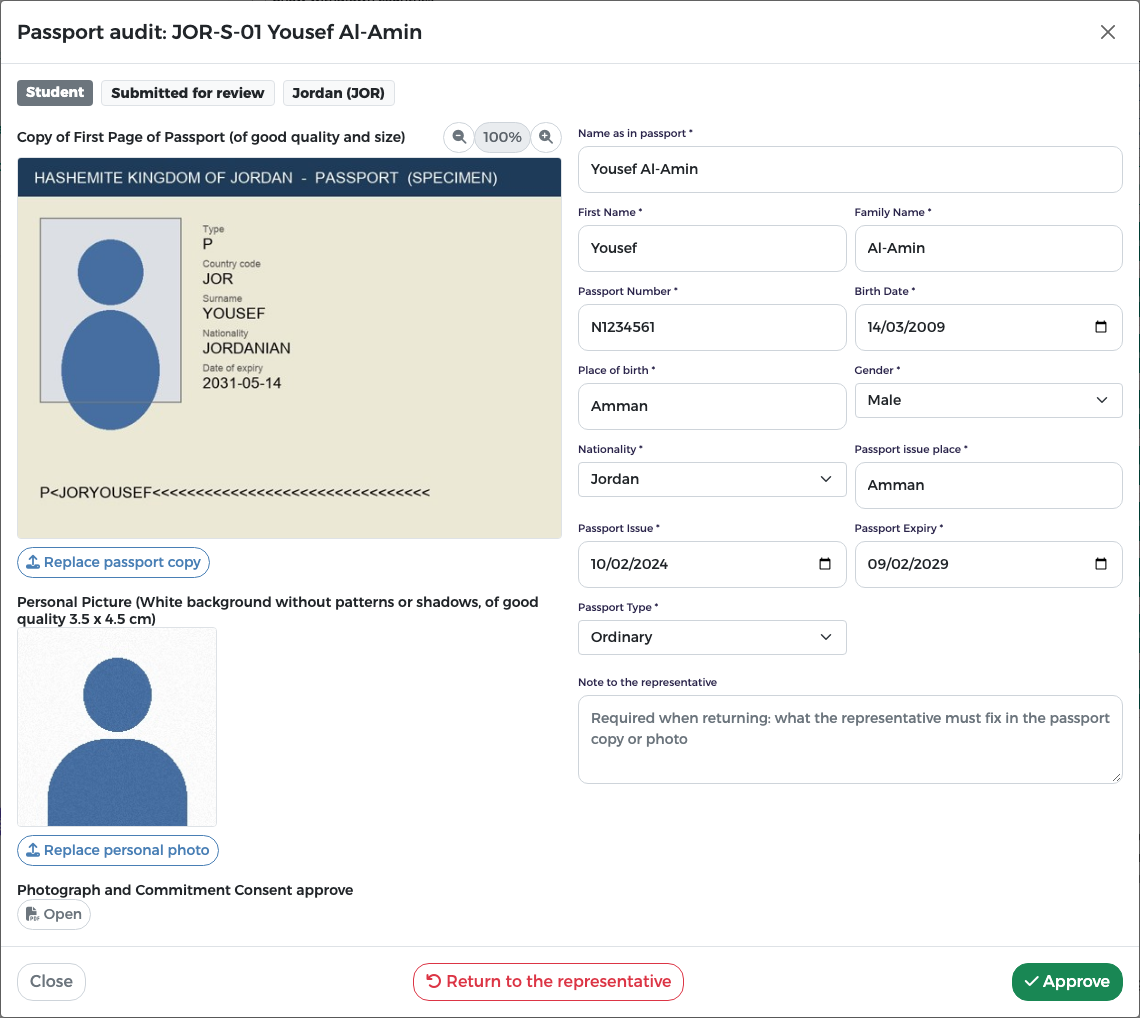
- Press Passport audit on the participant's row.
- Compare the passport scan on the left with the fields on the right. Use the zoom buttons (− / +) above the scan to read small text.
- If the representative made a typing mistake (for example a wrong digit in the passport number or a wrong expiry date) and the scan is clear, correct the field yourself.
- If needed, you can also Replace passport copy or Replace personal photo with a better file you received.
- Decide:
- Approve – the data is correct. The participant becomes Approved.
- Return to the representative – something must be fixed by the country. Type the reason first in Note to the representative.
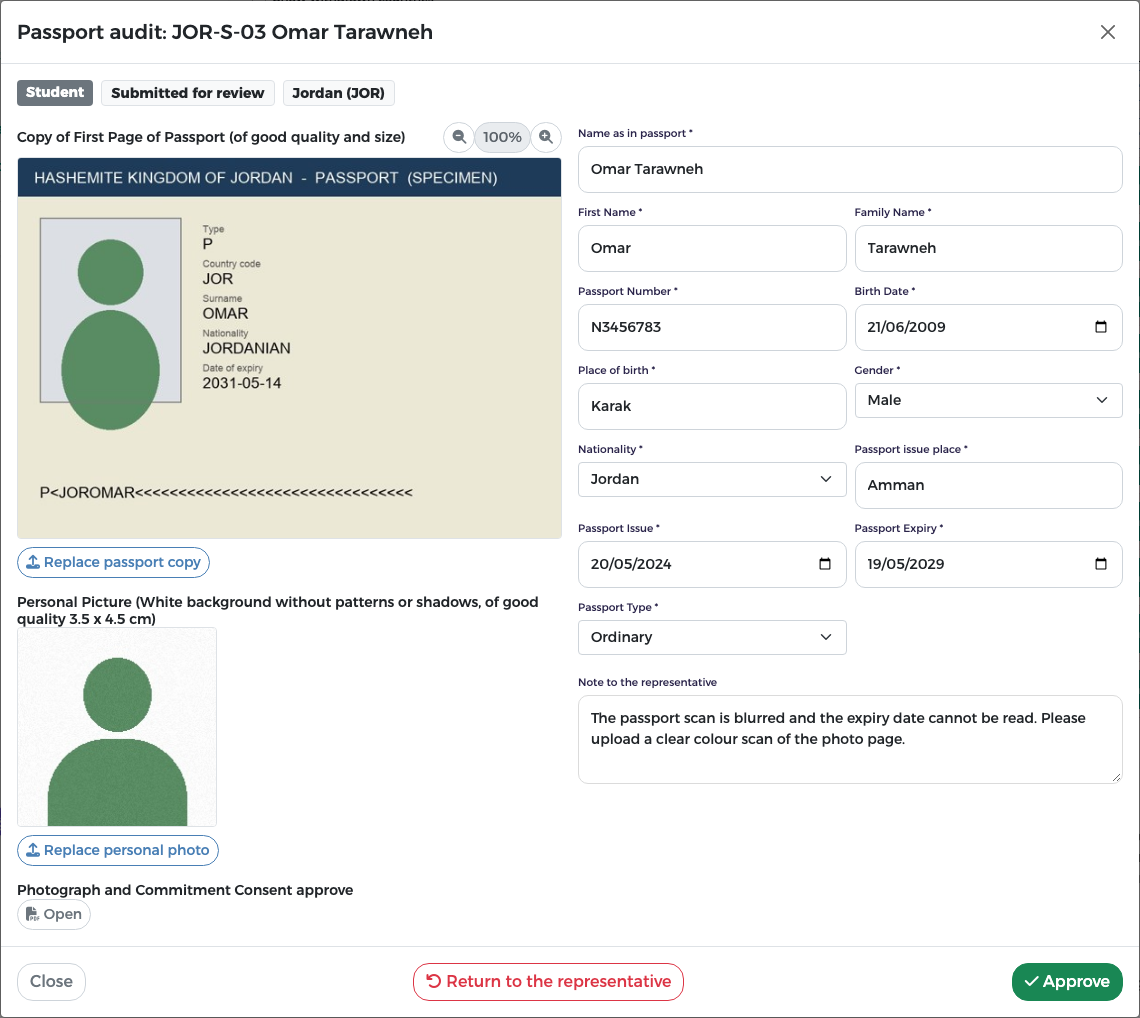
A note is required to return
You cannot return a participant without a note. Write exactly what the representative must change, in plain words, for example: "The passport scan is blurred and the expiry date cannot be read. Please upload a clear colour scan of the photo page."
What you can and cannot change
In the audit you can correct only the passport data, the passport copy and the personal photo. Contact data, shirt size, meals, health and consent stay as the representative entered them.
What happens next
After your decisions the list shows the new status of every participant. A returned participant shows your note under the name in red.
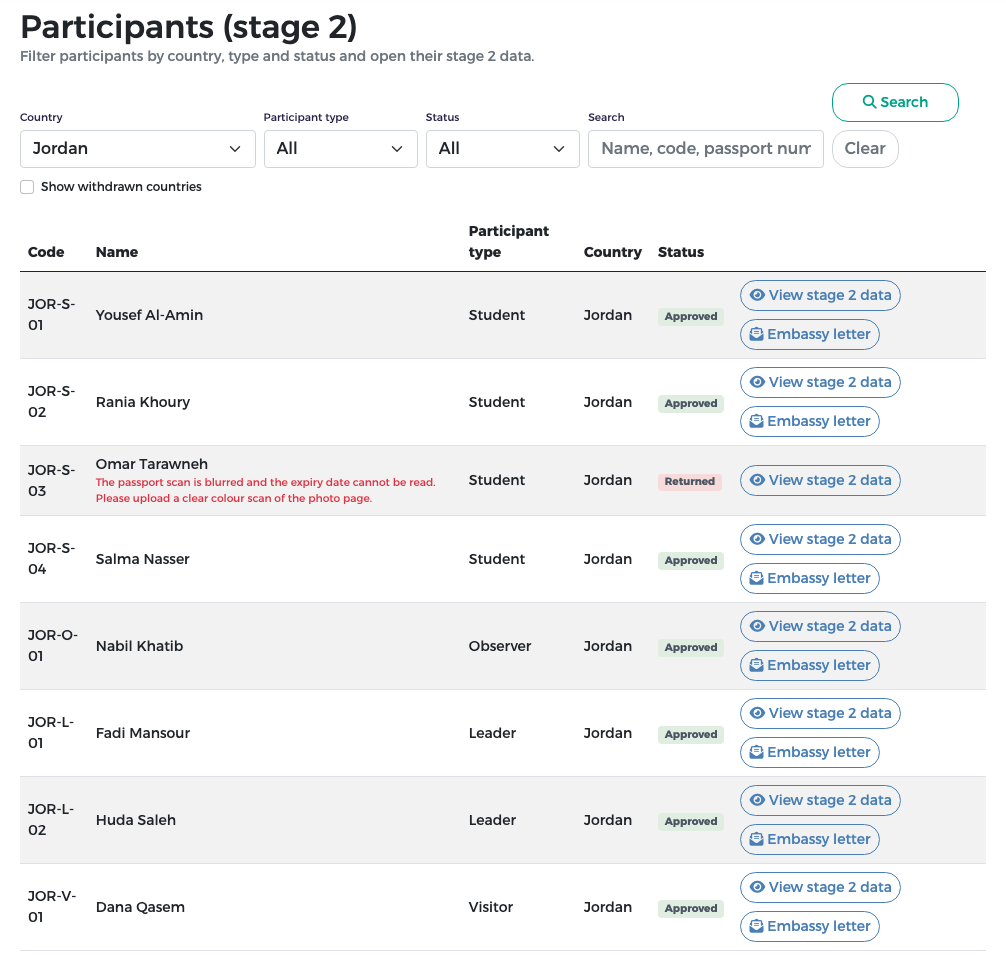
- Approved: the participant receives an e-mail that their registration data is approved. The Embassy letter button appears on the row.
- Returned: the representative receives an e-mail with your note and the stage closing date, and sees a yellow box on the country dashboard listing the returned participants. The country's stage 2 goes back to "in progress".
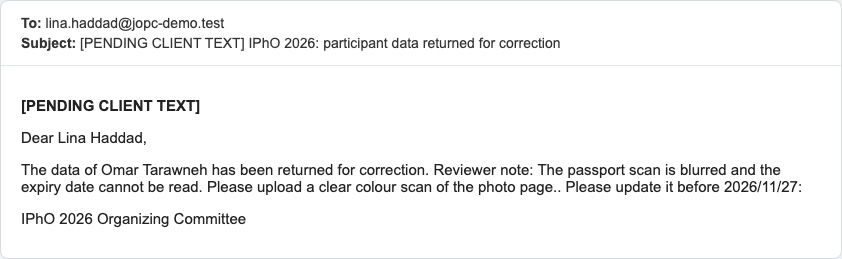
The representative can then change only the passport copy and the personal photo of the returned participant, and resubmit. The participant appears again as Submitted for review, and you audit them again.
After the stage's end date
You can return participants before or after the stage 2 end date. The representative can correct and resubmit a returned participant even after the end date; the date in the e-mail is then for information only.
Jordan example
The reviewer approved seven of Jordan's eight participants and returned Omar Tarawneh because his passport scan was blurred. Lina Haddad uploaded a clear scan and resubmitted; the reviewer then approved Omar, and Jordan's stage 2 was complete.
Lists by participant type
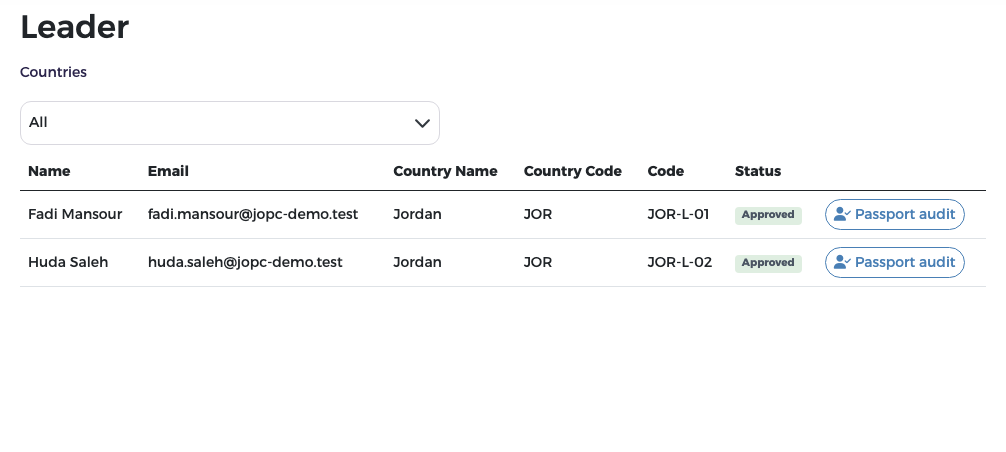
Students, Leaders, Observers and Visitors in the menu open a simple list of that type for all countries, with a Countries filter and a status badge for each person. Use them to check, for example, how many leaders are still waiting for review.
For the meaning of each participant status, see the Reference.