Country invoices, IBANs and reports
Country users and a country's invoices
Country Users in the menu lists the representatives. With All selected in Countries, every representative is listed; choose a country to see only its representative. For each country you have an Invoice button, and at the top the Countries IBANs button.
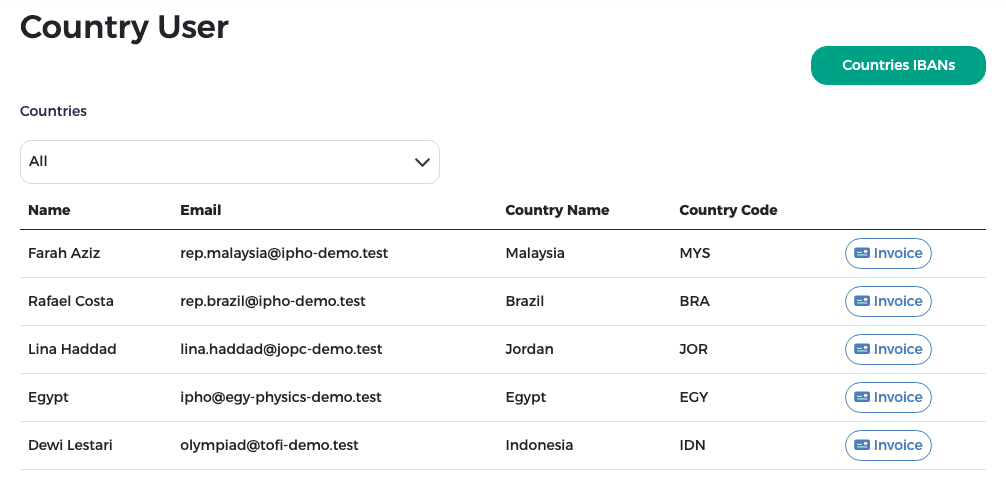
Press Invoice to open all the invoices of that country:
- Invoice Summary (top right): the total before tax, the VAT (15 %) and the total including tax.
- The invoice list: the invoice label (for example Invoice 1 (No. 2): the country's first invoice, reference number 2), type (General Invoice, or Settlement Invoice for a collected settlement claim), date, amount, rest, payment status and payment type. Invoice Details opens one invoice; the title above the list shows the invoice that is open.
- View bank transfer receipt attachment opens the transfer receipt uploaded by the representative.
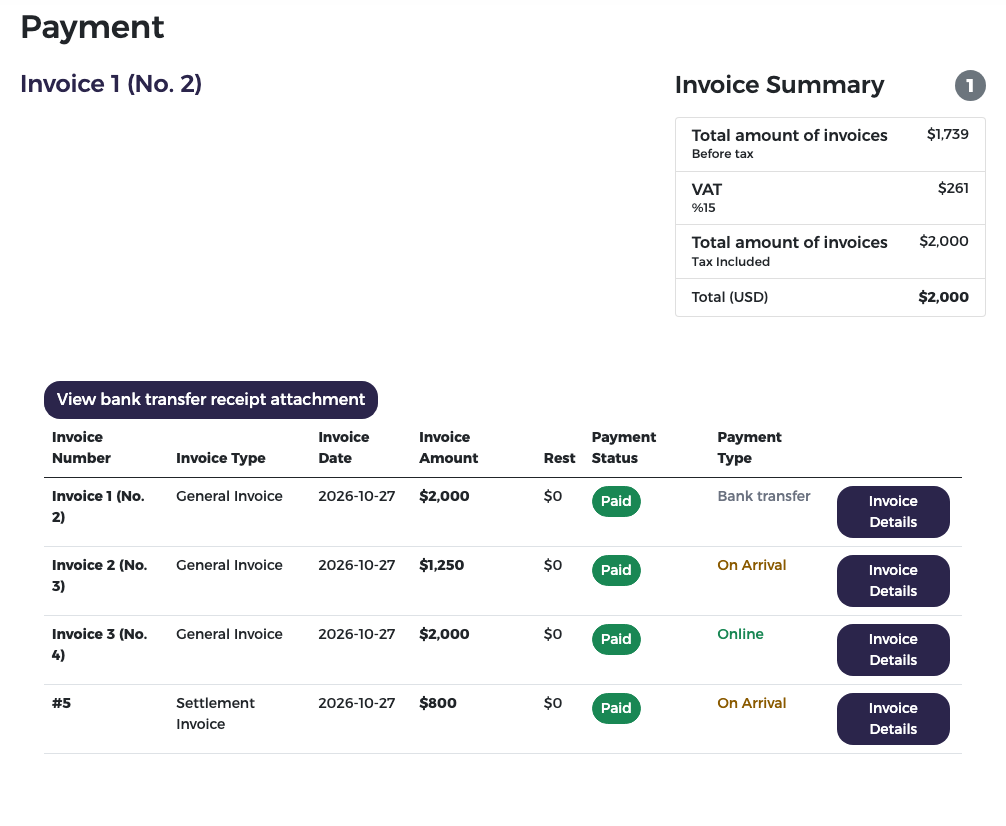
The same list opens from the Invoices link on the finance dashboard.
The countries' IBANs
You can keep each country's IBAN (international bank account number) in the system.
- On Country Users, press Countries IBANs.
- Find the country (use Search), type the IBAN and press the tick button on its row to save it.
- To fill many at once, press Update IBANs For Countries and choose an Excel file with the countries and their IBANs.
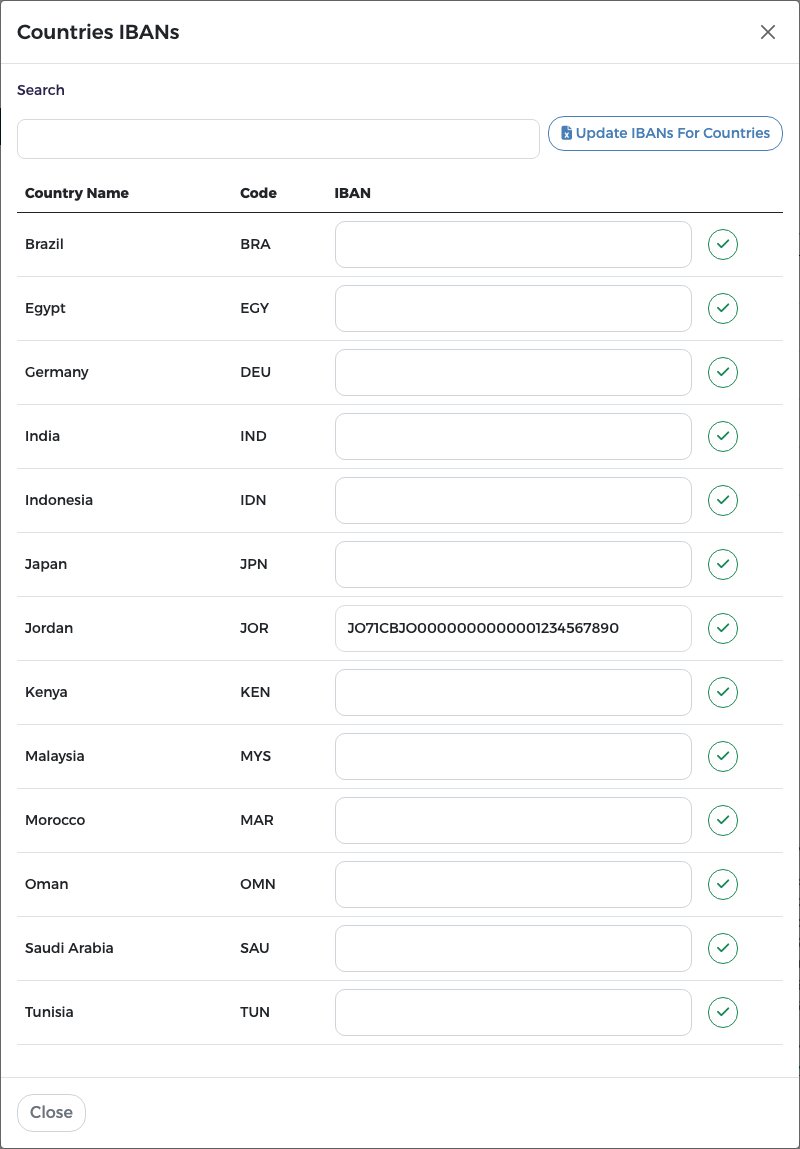
The receptionist's claims list
The receptionist works on the Remaining Amounts page, with a simple list Claims awaiting payment: country code and name, invoice number, claim amount and collection method. You can open the same view to check what the desk still has to collect. When every claim is collected, the list says "No claims are awaiting payment."
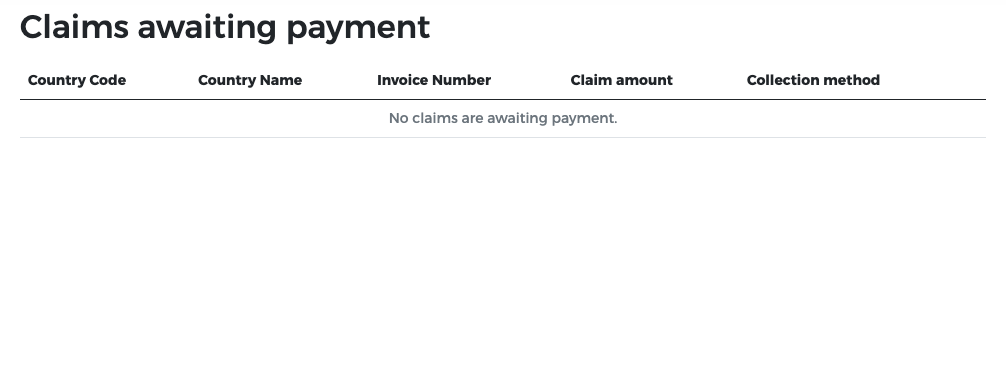
For collecting claims, see Settlement claims and Receptionist.
Reports 15 and 16
In Reports, finance has two reports. Choose one in the report list; Filter opens the filters and Export to Excel downloads the table. See Reports for how the page works.
Report 15 "Payment"
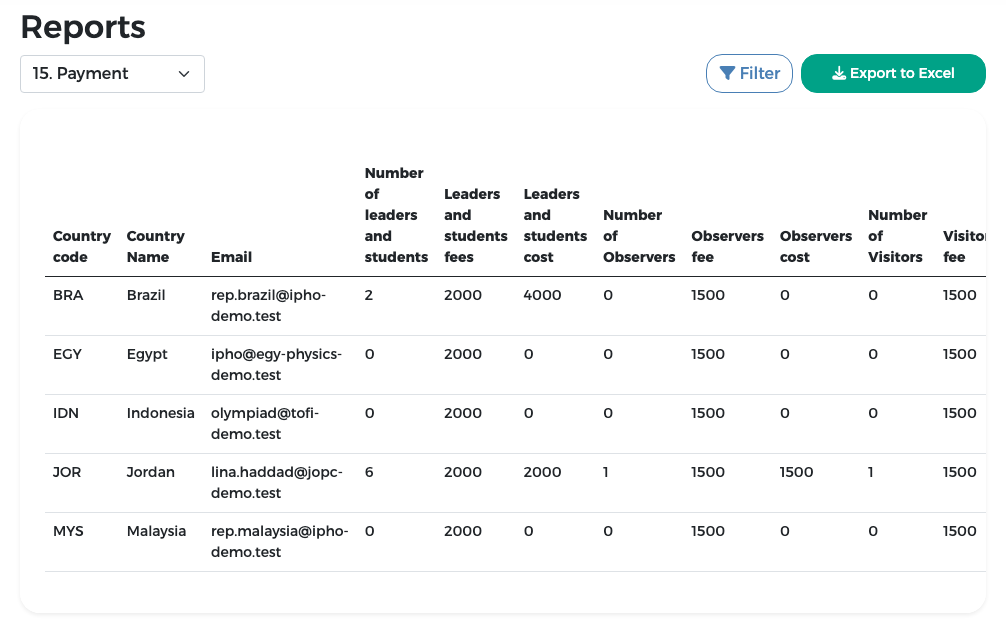
One row per country. The columns, in order:
- Country code, Country name and the representative's Email;
- the team package (all students and leaders together): Number of leaders and students, Leaders and students fees (the package price) and Leaders and students cost (the amount invoiced);
- the number, fee and cost of observers;
- the number, fee and cost of visitors;
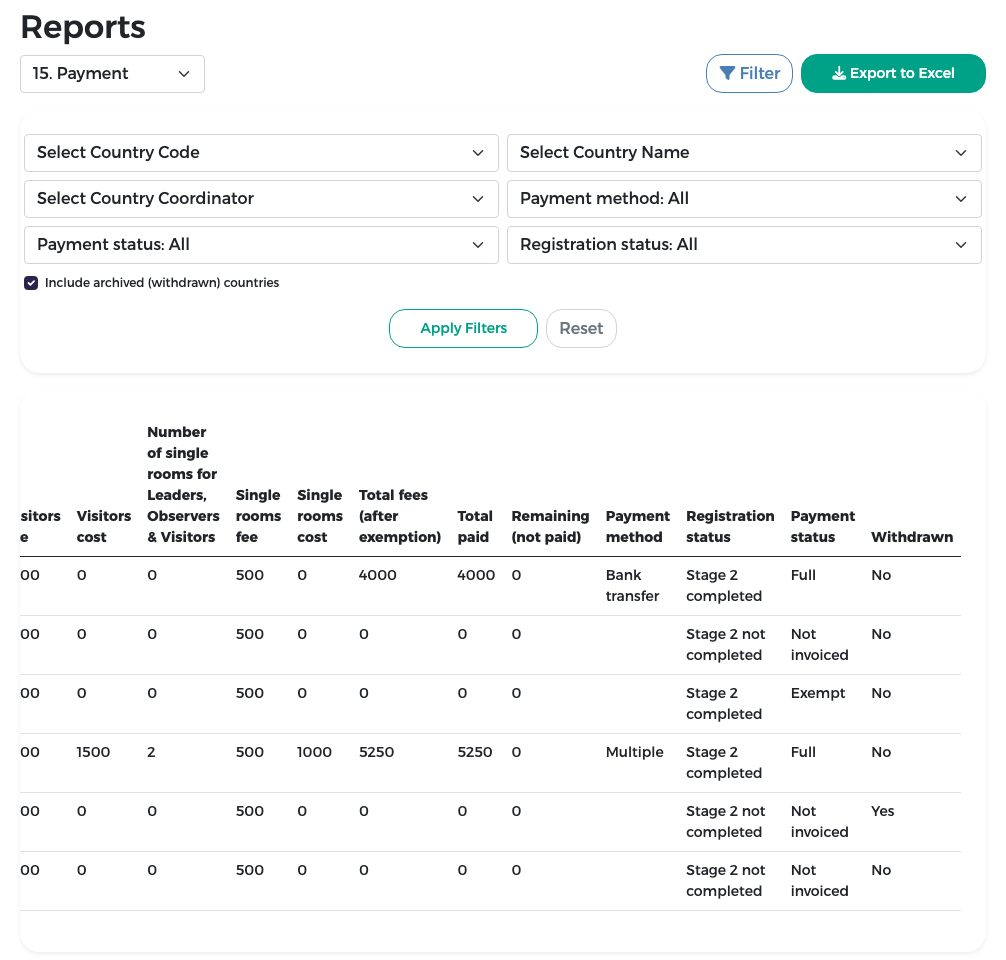
- the number, fee and cost of single rooms;
- the total after exemption, the total paid and the remaining amount;
- the payment method, the registration status and the payment status;
- Withdrawn: Yes for a withdrawn country, otherwise No.
Withdrawn countries appear only when Include archived (withdrawn) countries is ticked, so without that option the Withdrawn column always shows No. The column is also in the Excel export.
Report 15 is wide: scroll the table sideways to see the last columns.
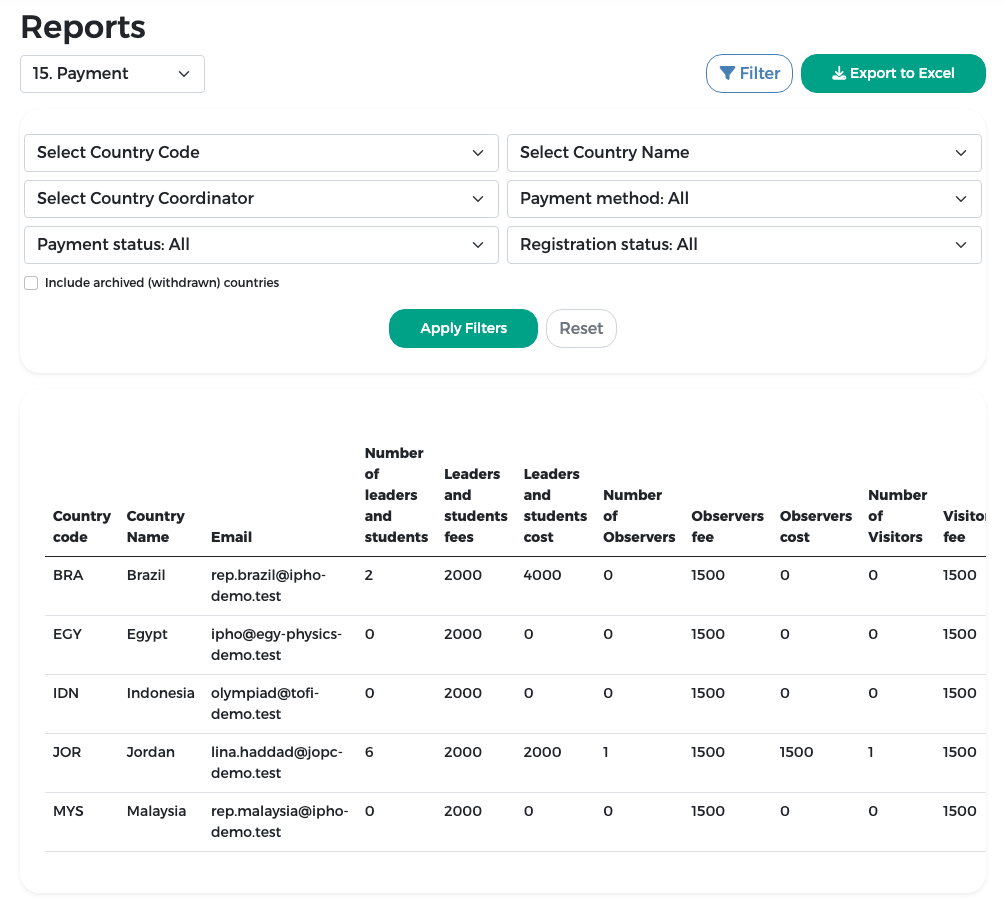
Filters: country code or name, country coordinator, payment method, payment status, registration status, and Include archived (withdrawn) countries.
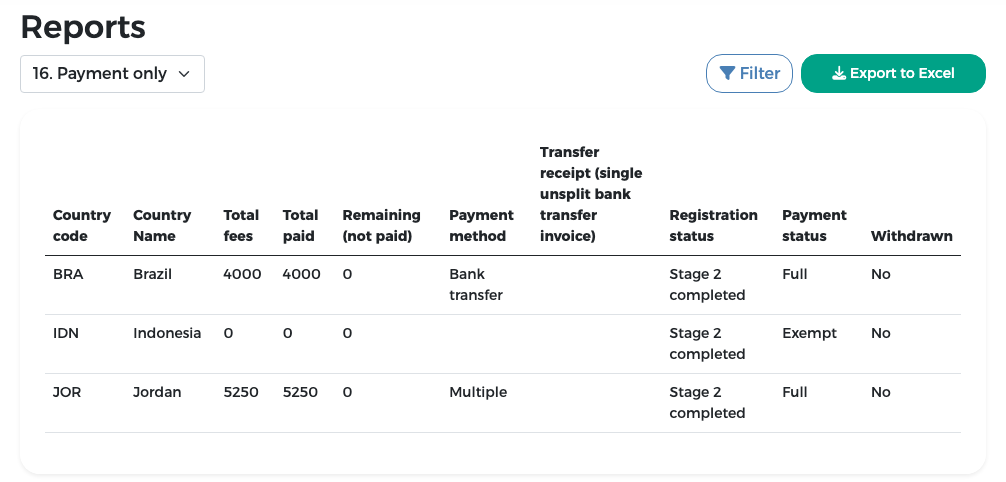
Report 16 "Payment only"
A short version. The columns are: country code, country name, total fees, total paid, remaining, payment method, the transfer receipt (only when the country has a single, unsplit bank-transfer invoice), registration status, payment status and Withdrawn (Yes or No, as in report 15). It lists only the countries that completed stage 2, so it has no registration-status filter. Withdrawn countries are included only when Include archived (withdrawn) countries is ticked.
Payment status and method in reports 15 and 16
Both reports use the same statuses as the finance dashboard. In Arabic the values are shown in Arabic (for example «كلي» for Full, «معفى» for Exempt and «متعددة» for Multiple).
| Payment status | Meaning |
|---|---|
| Full | All issued invoices are paid or exempt |
| Partial | Part of the money has been received |
| Zero | Invoices issued, nothing received |
| Not invoiced | No invoice issued yet |
| Exempt | Every invoice was fully exempted |
The payment method is Multiple when the country split its bill into several invoices paid in different ways. Settlement claims are not counted separately: the amount collected is already part of the original invoice's paid amount.