Receptionist
As the receptionist you work at the registration desk when the delegations arrive. Your one task in the system is to collect settlement claims: amounts that a country still owes on an invoice paid partly by bank transfer. The delegation pays the rest at the desk by POS terminal or in cash, and you record it.
Your part of the cycle
- Finance confirms part of a bank transfer and sends a settlement claim for the rest (see Settlement claims).
- You collect the claim when the delegation arrives and record the payment.
- The invoice becomes paid and the representative receives the payment receipt by e-mail.
Before you: finance sends the claim; the representative is told by e-mail and on the payment page that the remaining amount is payable on arrival (see Payment). After you: nothing more is needed; the receipt is issued automatically.
Payments on arrival are confirmed by finance
If a whole invoice is paid on arrival (not a settlement claim), finance confirms it on Confirm receipt of fees (see Confirming payments).
Sign in
- Open the administration portal and sign in with your e-mail address and password. The first time, set your password from the link in the "Your IPHO account" e-mail. See Getting started.
- Your menu has one item: Remaining Amounts. It opens the page of the same name with the settlement claims.
The claims list
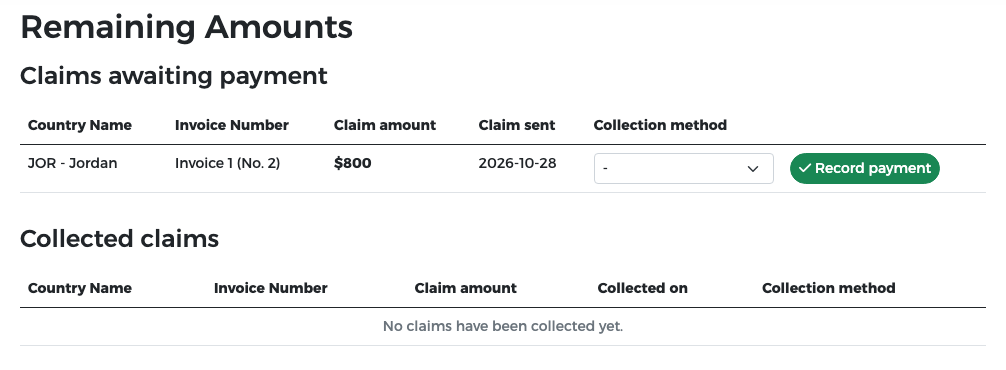
The page Remaining Amounts has two tables:
- Claims awaiting payment: the claims to collect, with the country, the invoice (for example Invoice 1 (No. 2)), Claim amount and the date the claim was sent.
- Collected claims: claims already collected, with the date and the collection method.
You cannot send claims or change their amounts; finance does that.
Collect a claim
When a delegation comes to the desk:
- Find the country in Claims awaiting payment and tell the delegation the Claim amount (in US dollars, VAT included).
- Take the payment at the POS terminal or in cash. Make sure the full claim amount is paid.
-
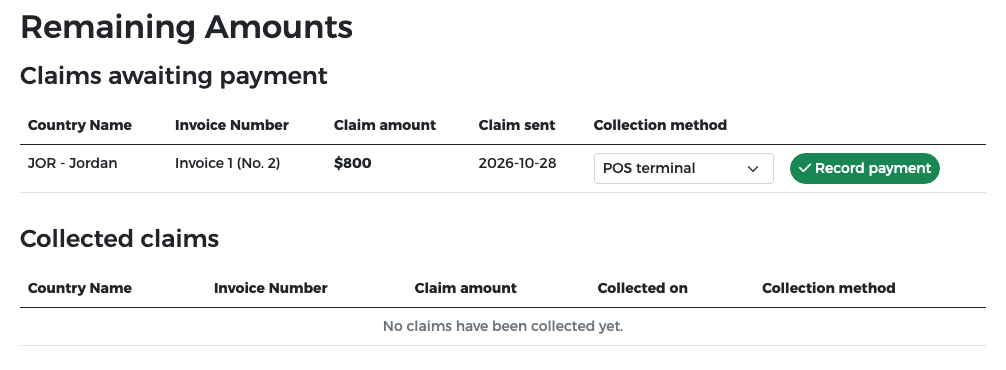
In Collection method, choose POS terminal or Cash, as actually paid.
-
Press Record payment.
-
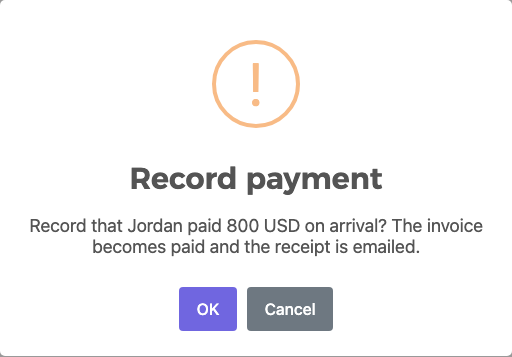
Read the confirmation (for example "Record that Jordan paid 800 USD on arrival? The invoice becomes paid and the receipt is emailed.") and press OK.
The result
The claim moves to Collected claims with today's date and the collection method.
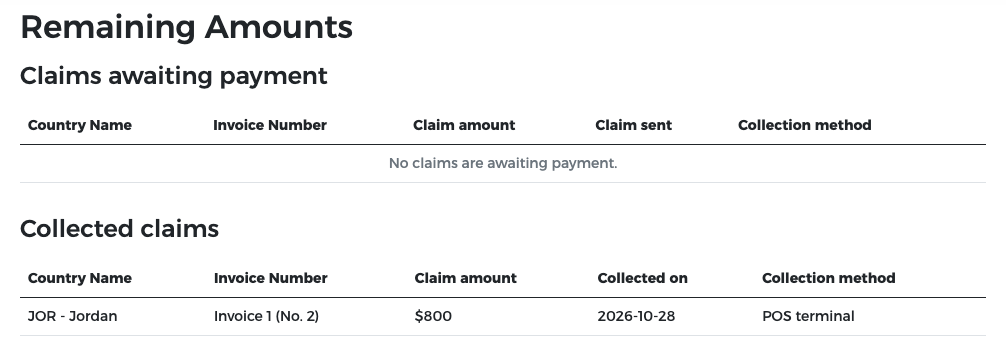
At the same time the invoice becomes Paid, and the representative receives the payment receipt by e-mail, showing both the bank transfer and the amount you collected.
Record only what you received
Record the payment only after the money is actually received. If the delegation cannot pay the full amount, do not record it; contact finance.
Jordan example
Jordan's Invoice 1 (No. 2) ($2,000) was paid $1,200 by bank transfer. Finance sent a claim for the remaining $800. When the Jordanian delegation arrived, Omar at the desk took $800 at the POS terminal, chose POS terminal and pressed Record payment. Invoice 1 (No. 2) became paid.